• Tuya Smart WiFi Fingerprint Waterproof Door Lock with 3D Face Recognition, Visual Intercom & Palmprint Unlock
  • Tuya Smart WiFi Fingerprint Waterproof Door Lock with 3D Face Recognition, Visual Intercom & Palmprint Unlock
  • Tuya Smart WiFi Fingerprint Waterproof Door Lock with 3D Face Recognition, Visual Intercom & Palmprint Unlock
  • Tuya Smart WiFi Fingerprint Waterproof Door Lock with 3D Face Recognition, Visual Intercom & Palmprint Unlock
  • Tuya Smart WiFi Fingerprint Waterproof Door Lock with 3D Face Recognition, Visual Intercom & Palmprint Unlock
  • Tuya Smart WiFi Fingerprint Waterproof Door Lock with 3D Face Recognition, Visual Intercom & Palmprint Unlock
  • Tuya Smart WiFi Fingerprint Waterproof Door Lock with 3D Face Recognition, Visual Intercom & Palmprint Unlock
  • Tuya Smart WiFi Fingerprint Waterproof Door Lock with 3D Face Recognition, Visual Intercom & Palmprint Unlock
  • Tuya Smart WiFi Fingerprint Waterproof Door Lock with 3D Face Recognition, Visual Intercom & Palmprint Unlock
  • Tuya Smart WiFi Fingerprint Waterproof Door Lock with 3D Face Recognition, Visual Intercom & Palmprint Unlock
  • Tuya Smart WiFi Fingerprint Waterproof Door Lock with 3D Face Recognition, Visual Intercom & Palmprint Unlock
  • Tuya Smart WiFi Fingerprint Waterproof Door Lock with 3D Face Recognition, Visual Intercom & Palmprint Unlock

Tuya Smart WiFi Fingerprint Waterproof Door Lock with 3D Face Recognition, Visual Intercom & Palmprint Unlock

No.PST-DDL5-TY
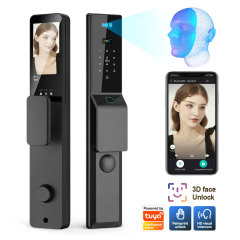
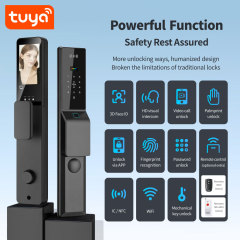
Waterproof-rated Tuya smart door lock with 3D face, palm print, fingerprint, keypad and 4.5-inch visual intercom. Wholesale and OEM supply available.
Lock body:
6068 lock body: USD3
Without lock body
Add remote controller function:
Add: USD5
Don't add
Remote controller:
Remote Controller(50M):USD4
Remote Controller(300-400M):USD8
  • Tuya Smart WiFi Fingerprint Waterproof Door Lock with 3D Face Recognition, Visual Intercom & Palmprint Unlock
  • Tuya Smart WiFi Fingerprint Waterproof Door Lock with 3D Face Recognition, Visual Intercom & Palmprint Unlock
  • Tuya Smart WiFi Fingerprint Waterproof Door Lock with 3D Face Recognition, Visual Intercom & Palmprint Unlock
  • Tuya Smart WiFi Fingerprint Waterproof Door Lock with 3D Face Recognition, Visual Intercom & Palmprint Unlock
  • Tuya Smart WiFi Fingerprint Waterproof Door Lock with 3D Face Recognition, Visual Intercom & Palmprint Unlock
  • Tuya Smart WiFi Fingerprint Waterproof Door Lock with 3D Face Recognition, Visual Intercom & Palmprint Unlock
  • Description

  • Detailed Images

Product Overview

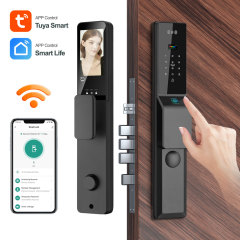
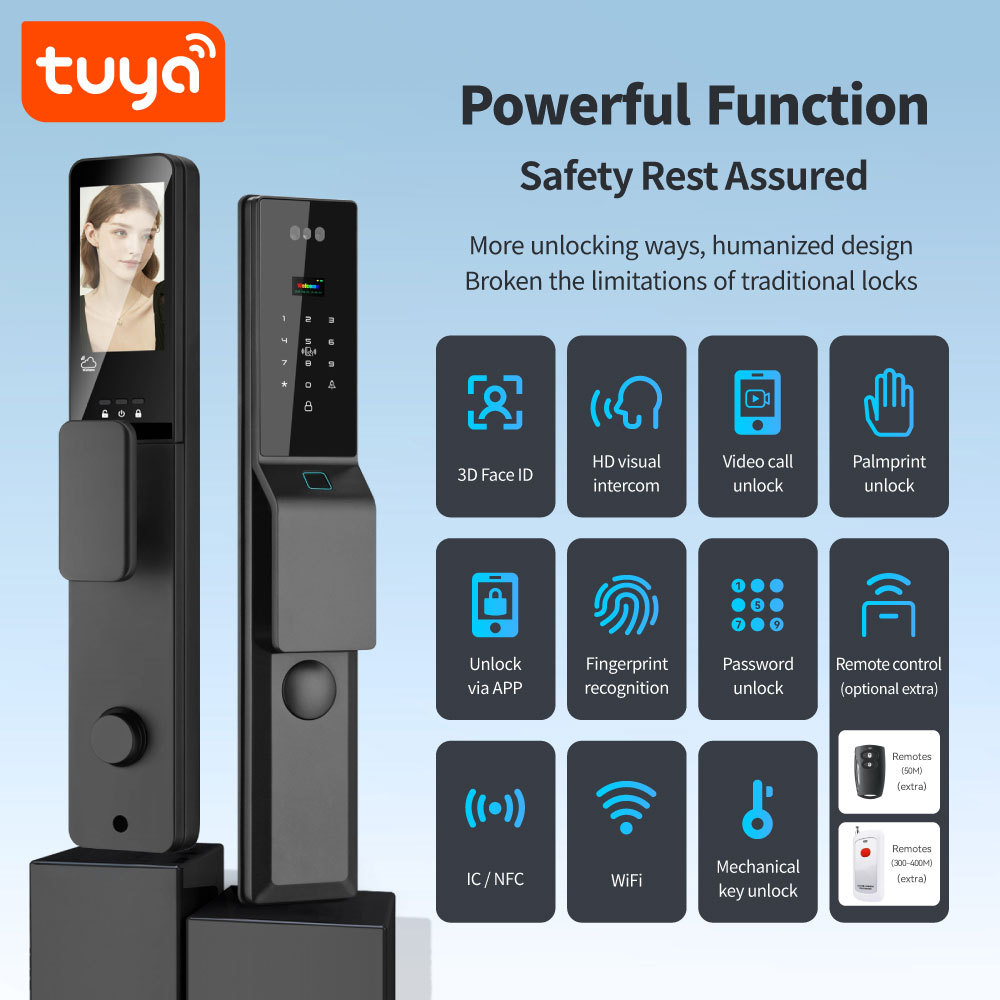
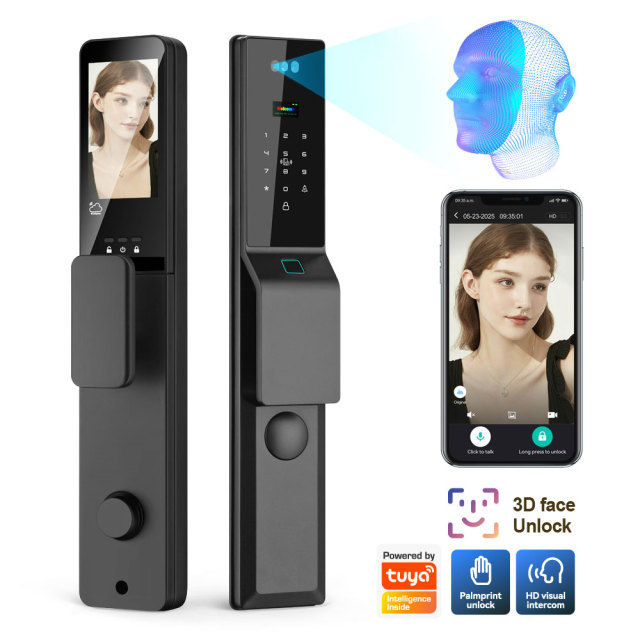
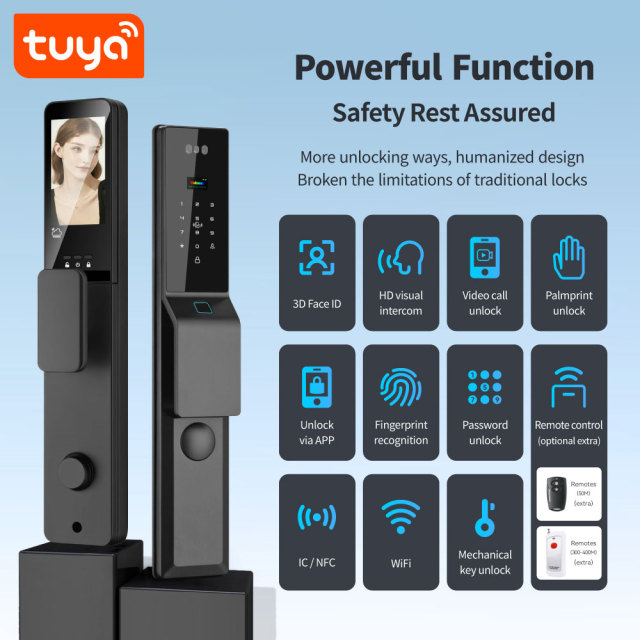
A WiFi entry panel for doors that take real traffic — a Tuya smart lock that recognises a face, a palm or a fingerprint, accepts a PIN on the keypad or an IC card, and still keeps a mechanical key for the day the electronics are the last thing you want to think about. The screen in the middle of the panel shows who is standing at the door, and the same view reaches your phone through the Tuya Smart or Smart Life app.

Where it earns its place: front doors of houses, serviced apartments and rentals, small offices and gated community units — anywhere handing over a physical key is awkward and knowing who came in is genuinely useful. It replaces a conventional lock and cylinder rather than the door itself, because the panel is built to work with the mortise body already fitted to most standard doors. That makes it a smart door lock for retrofit work as much as for new builds, and a simple panel for a smart door lock supplier to stock.

In daily use it changes very little, and that is the point. Residents and staff use whatever they already prefer — a face, a palm, a finger, a PIN, a card — while the mechanical key stays in a drawer for emergencies. Installers get a smart door lock with keypad entry that goes onto an existing door preparation instead of a new one, and property managers get one place to add or remove people instead of a locksmith visit every time somebody moves out.

Build, Finish and Weather Resistance

On this Tuya smart lock, the aluminum alloy body and tempered glass front come in grey as standard, and the panel is meant to look the same in year three as it did on installation day. The glass is bonded flush to the frame, the display sits behind it, and the front is sealed rather than merely coated.

Weather resistance lives in the details nobody photographs: the gasket that runs the full perimeter behind the panel, the way the cable entry is closed, the seal around the fingerprint sensor. Every smart door lock supplier makes a weather claim; a waterproof smart door lock is the version that survives a winter of rain on a north-facing porch and a summer of sun on the same door. Mechanically the lock is modular — the panel is built around a standard mortise body rather than a one-piece mechanism, so the body and the electronics can be serviced or replaced separately, and a door that already carries the right body can take the panel without new carpentry.

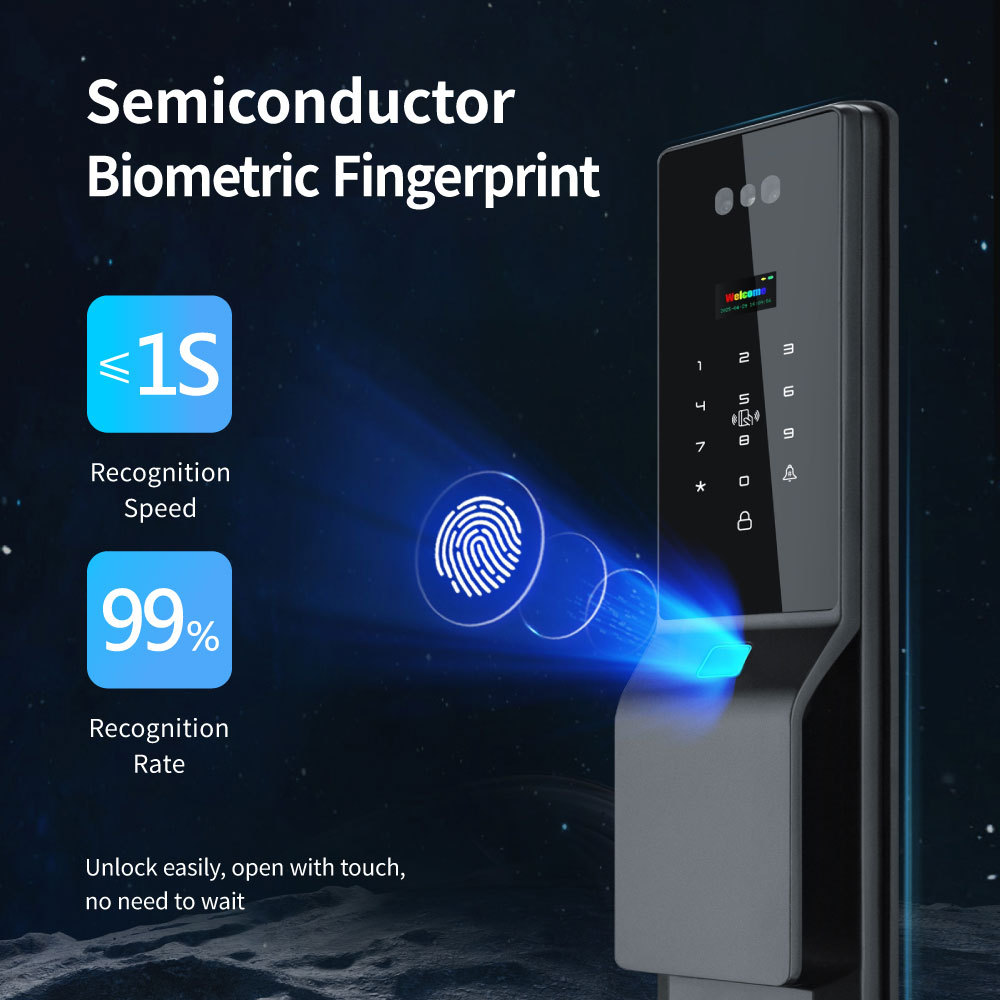
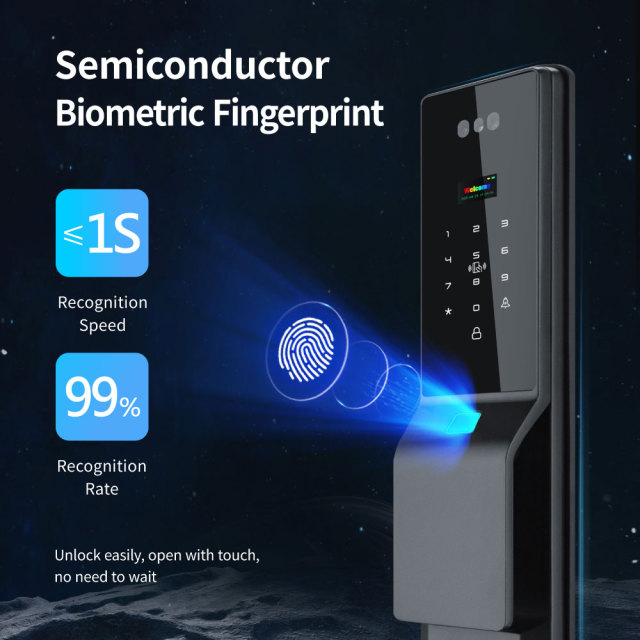
Putting the fingerprint sensor in the handle does two useful things: it keeps the front glass free of smudges, and it puts the reader exactly where a hand arrives, so nobody has to aim. The grey finish is consistent across a production run, but if the colour has to match an existing facade precisely, check a physical sample against your door before the order is placed with the smart door lock manufacturer.

Dimensions and Door Fit

ModelPST-DDL5-TY
Default colourGrey
MaterialAluminum alloy + tempered glass panel
Door thickness50-80mm
Front lock size430 mm x 77 mm x 50 mm
Rear lock size416 mm x 77 mm x 73 mm
Compatible lock body6068 (Not included)
Unit weight3.25kg(Not include lock body)
WiFi standardIEEE 802.11 b/g/n, 2.4 GHz
Operating temperature-10 degrees C to +50 degrees C
Humidity5%--95% non-condensing
Multi-languageChinese, English, Vietnamese, Portuguese, Arabic, Russian, Thai, Spanish, Indonesian

Keypad, Screen and App Control

A doorbell you can answer from anywhere

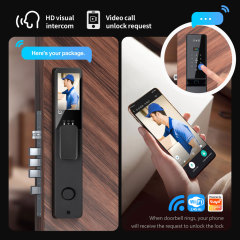
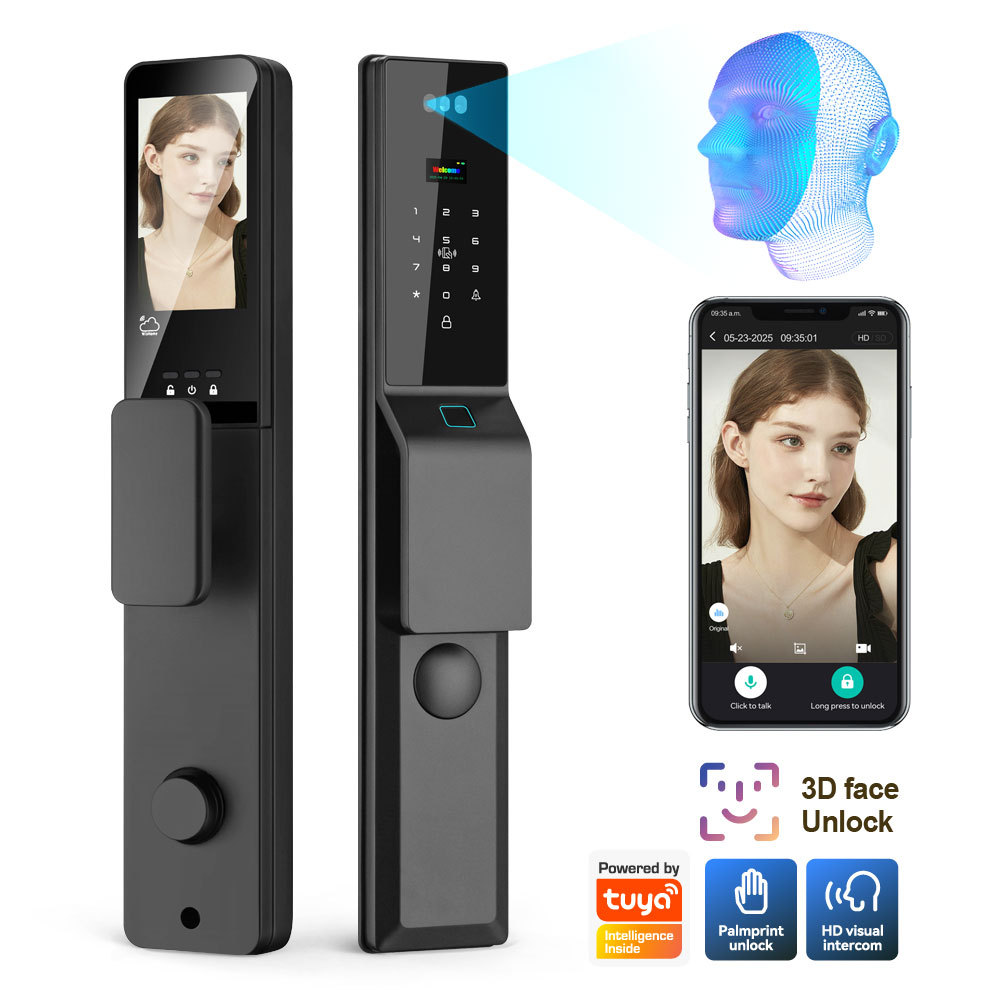
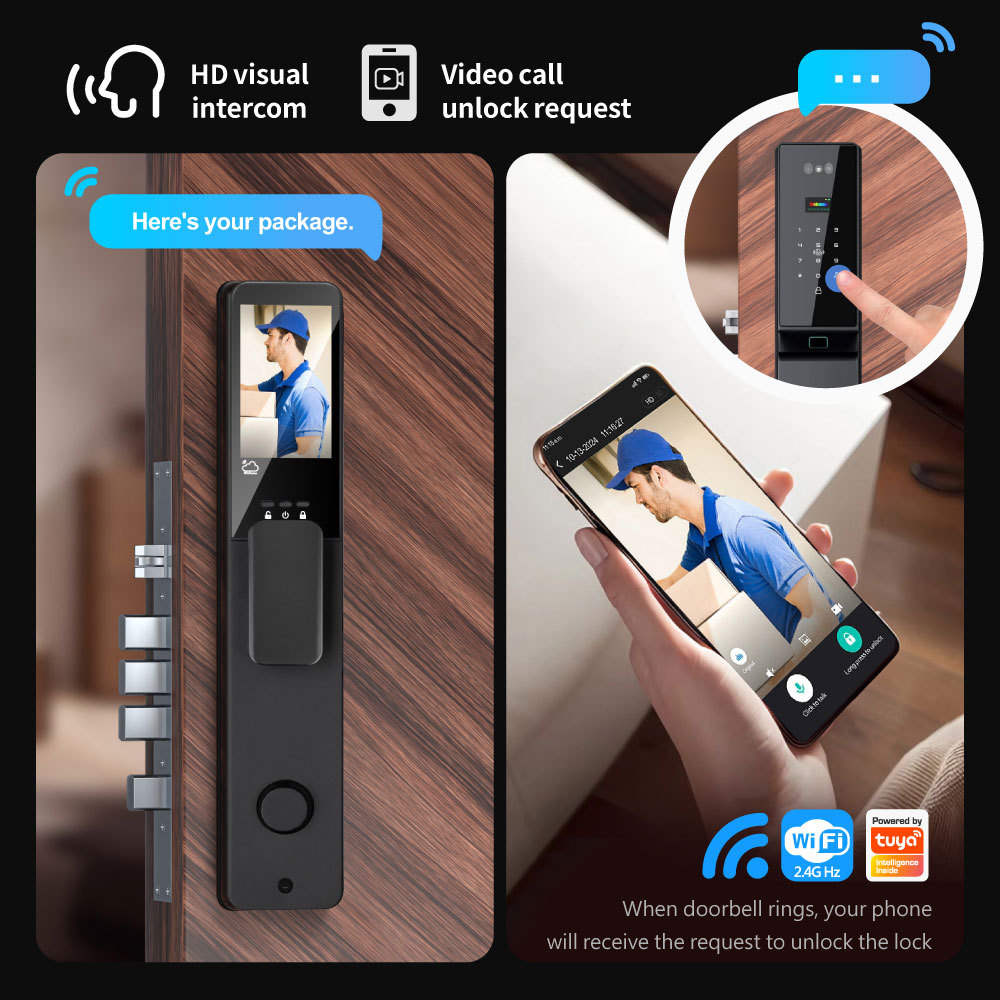
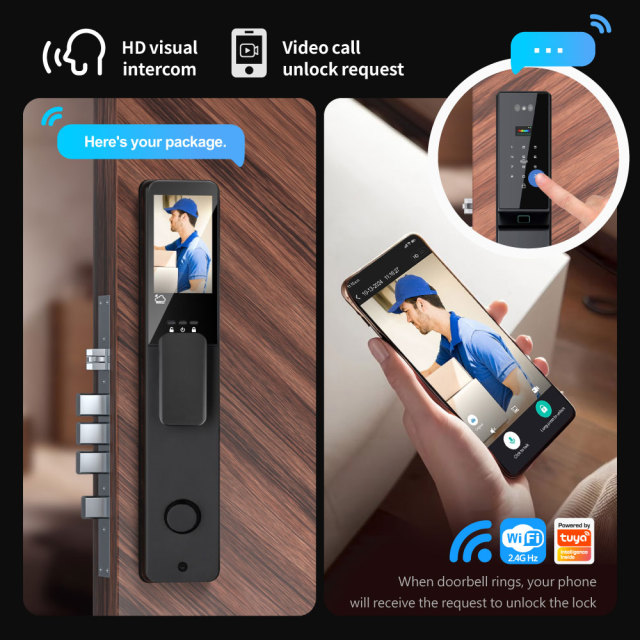
As a visual intercom door lock, the front panel carries a display with the camera above it, so a visitor sees themselves and you see them. When the bell is pressed the screen wakes with a live picture, the date and a timestamp; tap to talk, long-press to release the latch. If you are not home, the same call arrives in the app as a video call, and the door can be opened from wherever you happen to be.

Around the screen, entry is deliberately ordinary. A keypad takes the PIN, with decoy digits in front of and behind it so a passer-by cannot learn the code from the smudges or from watching a hand. A card reader covers the staff who would rather carry a fob than use their face, and the fingerprint sensor sits in the handle so a thumb lands on it as the hand closes. Anyone who has fitted a smart door lock with keypad entry before will recognise the layout immediately — there is nothing new to teach an installer.

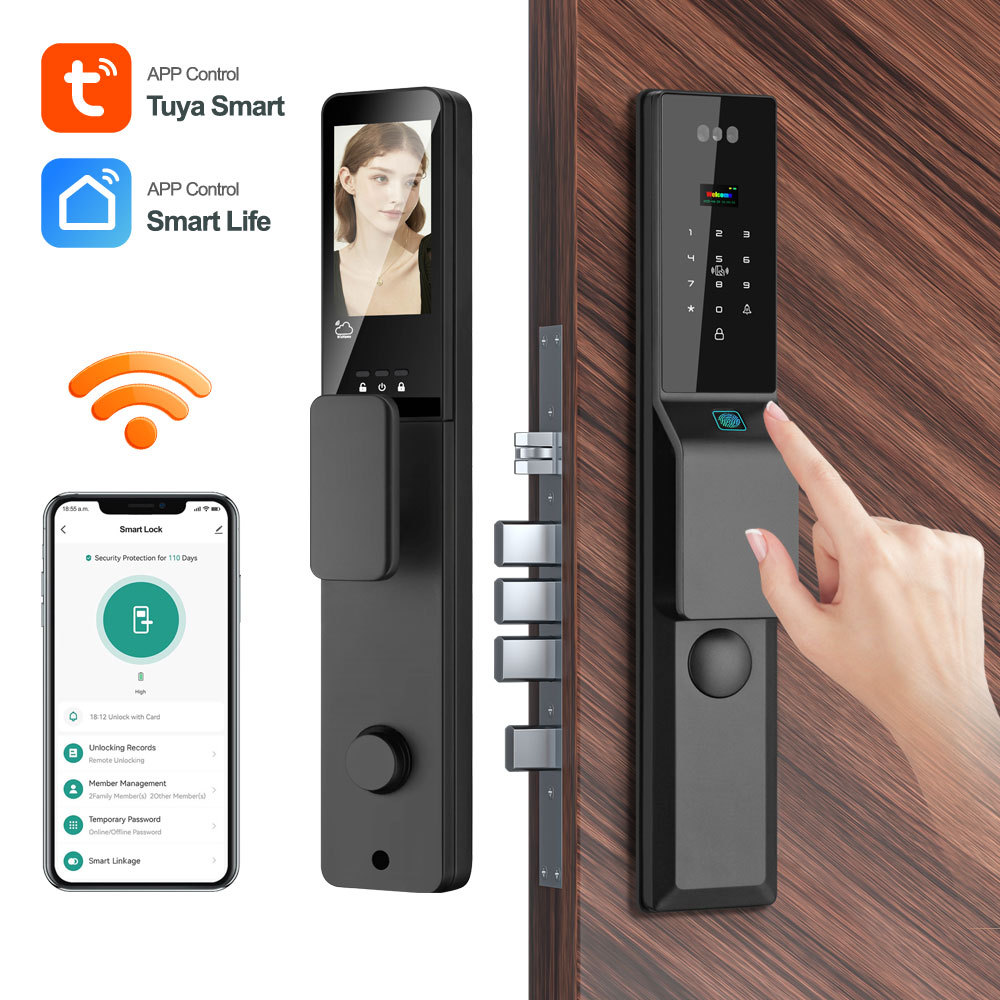
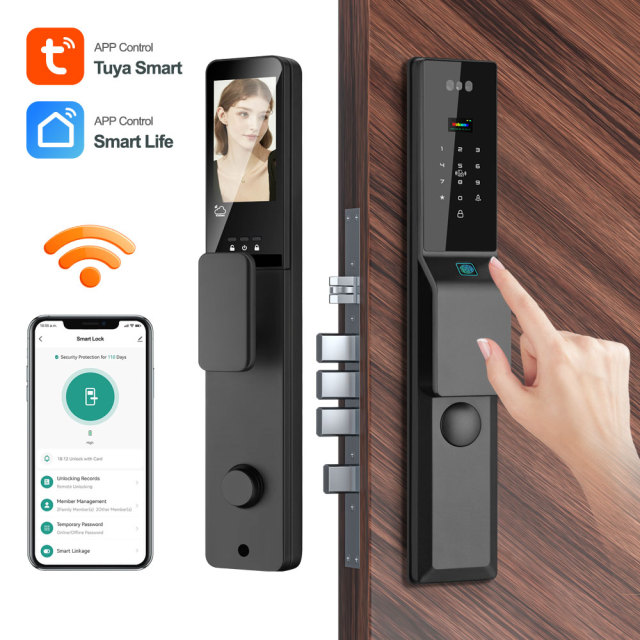
On this waterproof smart door lock, everything reports into Tuya Smart or Smart Life: unlocking records with the time and the method used, member management, temporary passwords, device sharing with family or an office manager, and live lock status. For a landlord with a flat across the city that means a delivery can be let in without a trip; for an office it means the manager knows who arrived before the first coffee is poured.

User Management and Permissions

  1. Decide who administers the 3D face recognition door lock. The first accounts created on the panel hold admin rights, and admin is what changes settings, deletes users and resets the lock, so keep it with the person who actually runs the building.
  2. Enrol people at the door rather than from a photograph: face at normal standing height, palm flat against the sensor on this palm print door lock, and two fingerprints per person so a cut finger or a cold morning does not lock anyone out.
  3. Match the credential to the person. Face or palm for residents who come and go daily, a PIN or a card for contractors and occasional visitors, and the mechanical key kept somewhere off site for the property manager.
  4. Issue temporary access for a cleaner, a carer or a short-stay guest, then delete it when the stay ends. Temporary credentials can be created and withdrawn without a key ever changing hands.
  5. Share the app with a co-owner or an office manager so they can view records and let people in, without handing over the admin account itself.
  6. Review the door-opening records when something looks odd. Each entry carries a time and the method used, which usually settles the question of who came back at an unusual hour.
  7. Remove access the day someone leaves. Deleting a face, palm, fingerprint, PIN or card takes seconds and takes effect immediately, which is the whole reason a smart door lock manufacturer builds a panel like this to replace a keyed cylinder in rental property.

Access and Power Specifications

Product nameTuya Smart WiFi Fingerprint Waterproof Door Lock 3D Face & Video Intercom & Palm & Peephole
App nameTuya Smart or Smart Life
Access methodFingerprint, password, card, key, temporary password, remote, face scan, palm print
Screen size4.5-inch integrated screen
3D face camera2.0-megapixel camera
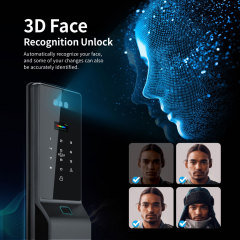
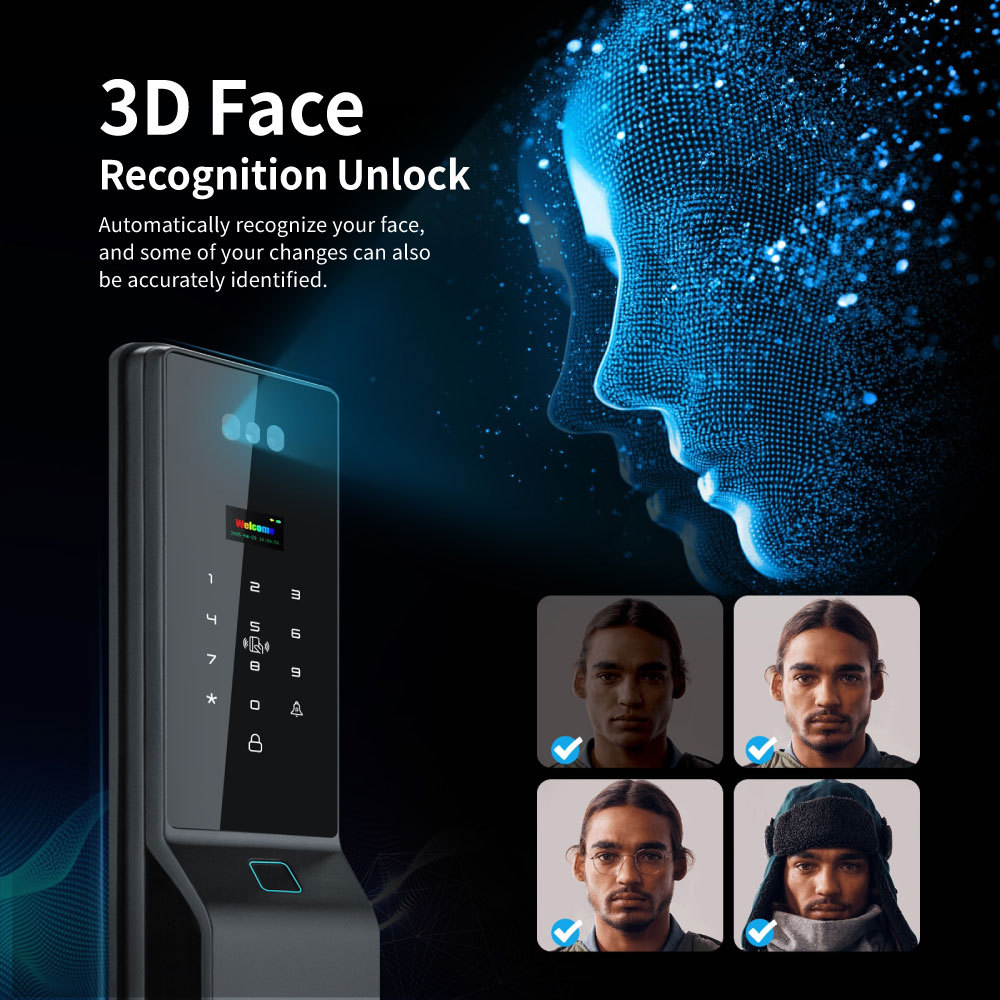
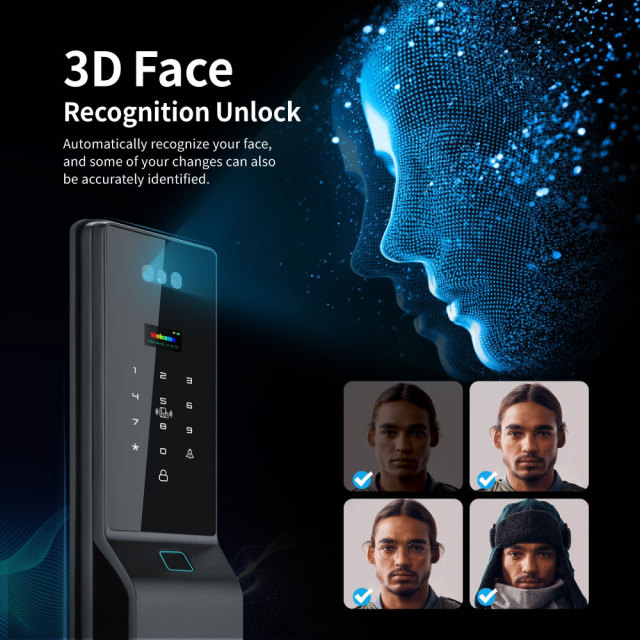
3D face recognition door lock0.3 s recognition speed, 99.9% accuracy, works in low light (0.1-1000 lux)
Remote active openingYes, directly from the app
Remote controlUnlock, lock, access log view, temporary password generation via app
Anti-peep PINSupports random digits before/after real PIN to prevent snooping
System capacityin total support 300: 3 admin + 297 users: 1. Face and palm max 50; 2. fingerprint max 100;
Power supply7.4V 4200mA Lithium battery
Emergency power5V Type-C DC
Standby currentLower than 80uA
OptionalRF433 remote controller

Battery, Charging and Alerts

  • A rechargeable pack, not a drawer of cells — the panel runs on a rechargeable lithium pack, so there is no annual swap of disposable batteries and no wiring run out to the door.
  • Long gaps between charges — the panel sleeps between entries, and a full charge is rated to keep the lock protecting the door for around 110 days under normal household traffic.
  • USB-C as the last line of defence — if the pack does run flat, a power bank or phone charger on the panel's USB-C port gives it enough power to open the door and start charging again.
  • Warnings before silence — low battery is reported in the app and shown on the panel well before the lock stops accepting credentials, so a top-up gets scheduled instead of discovered.
  • Events that reach you — wrong-password attempts, forced opening, tamper attempts and an abnormal door position are pushed to the app as alerts, which is what turns a lock into something closer to a monitored entrance.
  • A charging routine that actually holds — note the charge date at handover, check the pack at every service visit, and put the top-up in the maintenance calendar for rentals instead of leaving it to the tenant.
  • Why the pack matters more than the spec sheet — in a smart home door lock the battery is the part that decides whether the product feels reliable or fussy, and a pack that lasts months and announces itself before it dies does more for that reputation than any feature list.

Installation and Commissioning

  1. Measure before anyone drills. The door thickness has to sit inside the panel's working range, and the mortise already in the door has to match the body this lock is built for. If it does not, plan the body into the order rather than adapting the door.
  2. Fit or confirm the mortise and strike plate first, then hang the door and check it closes without lifting or rubbing. A door that drags will make a new lock feel faulty.
  3. Feed the connecting cable through the door, mount the front panel square to the door edge, and fit the rear panel without pinching the cable. A pinched or strained cable is the most common reason a freshly installed lock starts misbehaving.
  4. Power up, set the date and time, choose the language, and pair the panel to the Tuya Smart or Smart Life app. Pairing runs on the 2.4 GHz band only, so a 5 GHz-only network will never find the lock.
  5. Test every credential before handover: face, palm, fingerprint, PIN, card, mechanical key and the app's remote open command. If the door sits at the far end of the building, move the router or add a closer access point rather than blaming the lock.
  6. Walk the owner through the smart fingerprint door lock as it behaves offline — which credentials still work, where the USB-C port sits, and where the mechanical key is kept.
  7. Leave a short handover note for tenants or staff explaining how the smart home door lock reacts when the building WiFi drops out, so nobody forces the handle while the app is silent.

Ordering and Customisation

  • What ships in the box — the front and rear panel, two mechanical keys, two IC cards and the user manual. The mortise body is a separate item, not part of the set.
  • The lock body decision — this panel is built around one specific mortise body, and that body is not included. Order the body with the lock if the door does not already have one; if it does, keep it and change only the panel.
  • Remote controller option — an RF433 handset can be added for gates or for staff who prefer a fob. Short-range and longer-range versions are available, so tell us what distance you need to cover.
  • Your brand on the product — OEM work covers the box and manual, a laser logo on the body and a logo on the power-on screen, so the finished item reads as your range rather than ours. Send artwork and the language you need, and ask your contact for the quantity breaks on each option.
  • Ordering by the carton — wholesale smart door lock orders are usually built around mixed projects: the same panel suits houses, rentals and small offices, so one line covers several jobs. Ask for the carton configuration and shipment weight for your destination.
  • As a smart door lock manufacturer we control the build — a change of language, manual or logo is a production instruction rather than a third-party negotiation. Ask your contact for the current lead time on standard and customised orders before you commit dates to your own customers.
  • Confirm before you commit — lead time, payment terms, carton configuration, manual language and the warranty terms that apply in your market are all agreed on the order, because they vary with destination and order size.
  • Questions during the project — the smart door lock supplier who answers your pre-sales questions also handles the after-sales side, so pairing problems, enrolment quirks and replacement requests do not disappear into a ticket queue.
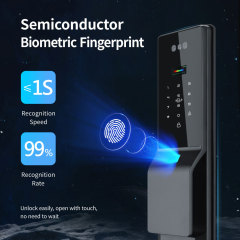
  • Weather-rated for doors that face outside — Aluminum alloy body and tempered glass front, sealed for outdoor mounting, so a porch door or a garden entrance does not need a permanent canopy over the lock to survive the year. - A smart fingerprint door lock that also reads faces and palms — walk-up face recognition for hands-free entry, palm print for people whose fingerprints have worn thin, and a semiconductor fingerprint sensor that reads in about a second at 99% accuracy. - You see the visitor before you decide — the camera above the screen feeds the panel and your phone, so an unexpected caller is answered from the kitchen or from another country. - One panel for everyone who uses the door — residents, family, staff and contractors each get their own credential, and removing one is a two-minute job in the app rather than a lock change. - An upgrade, not a rebuild — the panel is designed around the mortise body already used in most standard doors, so existing hardware comes off and this goes on without re-cutting the door. - Battery power without the nagging doubt — a rechargeable pack instead of door wiring, a USB-C port for emergencies, and warnings in the app long before the lock stops listening. - One line instead of three — a wholesale smart door lock that suits a family front door, a serviced rental and a small office, so a distributor can hold one model across several projects. - Support from the people who build it — pairing, enrolment and user-limit questions reach the smart door lock supplier behind the panel, not a call centre reading the same manual.

Testing & Compliance

Compliance paperwork matters as much as the hardware itself. The Tuya-based smart home and smart electrical products we supply carry FCC, CE, UL and RoHS certification, and every order passes 100% quality control before dispatch. Tell us which directive, standard or market your buyers check against, and we will confirm the applicable certificates and third-party test reports for the models you plan to stock — issued per project, never as blanket claims. When a range is updated, we help distributors keep their files current, and we stay with you through replacement and after-sales.


FAQ

Will this smart door lock fit the door I already have?

Almost certainly, if the door is already prepared for a standard mortise body. The panel is built around one specific body type and is not supplied with it, so the practical check is what is fitted now: if the existing body and the hole spacing match, the panel goes straight on and the old hardware comes off. If you are not sure, send photographs of the door edge, the existing body and a measurement of the door thickness, and we will tell you whether it is a straight swap or whether the body needs to go on the order.

What happens if the battery runs flat while nobody is home?

The app warns you well before that point, and there is usually enough margin to arrange a top-up. If it does run down completely, the door is not stuck: the mechanical key still operates the lock, and a power bank or phone charger on the USB-C port gives the panel enough power to open and start charging. Fit the pack check into the handover routine and this becomes a scheduled task rather than an emergency.

Does it still work when the internet or the building WiFi is down?

Yes. The smart fingerprint door lock keeps its credential list on the panel itself, so face, palm, fingerprint, PIN, card and the mechanical key all continue to work with no network at all. What stops is the remote side: app unlocking, video calls, live view and new records reaching your phone. When the network returns the panel reconnects and resumes reporting, so a router outage never locks anyone out of the building.

Will face recognition work at night or in a dim hallway?

Yes — on this 3D face recognition door lock, the camera is built to read faces in low light, so an unlit porch or a corridor with a single bulb is not a problem. Two things help more than adding light: enrol the face at the door itself at normal standing height, and re-enrol after a significant change in appearance such as a new beard or a different pair of glasses. Strong backlight is harder than darkness, so a doorway staring straight into afternoon sun is the one position worth adjusting; angle the panel slightly or ask us about the mounting.

Can the language on the lock be changed for my market?

Yes. The full language list is built in and selected on the panel with a short keypad command, so an installer can set it on site without the app. On this smart door lock with keypad entry it is worth setting the language before enrolment, since the menus the installer works through change with it. Tell us which language your market needs when you order and we will match the printed manual to it.

Is it suitable for a gate or a door that gets rained on directly?

The panel is a waterproof smart door lock with a sealed body and a waterproof-rated front, so an exposed porch or a garden door is within its design. Two practical notes: mount it where water runs off rather than pools, which usually means just under an overhang where one exists, and wipe the glass and the sensor as part of normal cleaning in coastal air, because salt film dulls biometric reads long before it damages anything. If the door takes driving rain or sea spray head-on, describe the exposure and we will advise on the mounting position.

Can it be linked to cameras and other Tuya devices?

Yes. Because the Tuya smart lock lives inside the Tuya Smart or Smart Life app, it works as a trigger or a target in scenes: unlocking can switch on lights, an Away Mode can lock the door and start recording on Tuya cameras, and door events sit alongside camera and sensor activity in the same app. The smart home door lock is one device in that system rather than a separate app — pair and test the lock on its own first, then build the scenes around it.