• Tuya Smart WiFi Fingerprint Door Lock with 3D Face Recognition, Palm Print & HD Visual Intercom
  • Tuya Smart WiFi Fingerprint Door Lock with 3D Face Recognition, Palm Print & HD Visual Intercom
  • Tuya Smart WiFi Fingerprint Door Lock with 3D Face Recognition, Palm Print & HD Visual Intercom
  • Tuya Smart WiFi Fingerprint Door Lock with 3D Face Recognition, Palm Print & HD Visual Intercom
  • Tuya Smart WiFi Fingerprint Door Lock with 3D Face Recognition, Palm Print & HD Visual Intercom
  • Tuya Smart WiFi Fingerprint Door Lock with 3D Face Recognition, Palm Print & HD Visual Intercom
  • Tuya Smart WiFi Fingerprint Door Lock with 3D Face Recognition, Palm Print & HD Visual Intercom
  • Tuya Smart WiFi Fingerprint Door Lock with 3D Face Recognition, Palm Print & HD Visual Intercom
  • Tuya Smart WiFi Fingerprint Door Lock with 3D Face Recognition, Palm Print & HD Visual Intercom
  • Tuya Smart WiFi Fingerprint Door Lock with 3D Face Recognition, Palm Print & HD Visual Intercom
  • Tuya Smart WiFi Fingerprint Door Lock with 3D Face Recognition, Palm Print & HD Visual Intercom
  • Tuya Smart WiFi Fingerprint Door Lock with 3D Face Recognition, Palm Print & HD Visual Intercom
  • Tuya Smart WiFi Fingerprint Door Lock with 3D Face Recognition, Palm Print & HD Visual Intercom
  • Tuya Smart WiFi Fingerprint Door Lock with 3D Face Recognition, Palm Print & HD Visual Intercom

Tuya Smart WiFi Fingerprint Door Lock with 3D Face Recognition, Palm Print & HD Visual Intercom

No.PST-DDL9-TY
Tuya smart door lock with 3D face, palm and keypad access, a 4.5-inch visual intercom and 300-user capacity for wholesale projects.
Lock body:
6068 Lock body: USD3
No lock body
Add remote controller function:
Add: USD5
Don't Add
Remote Controller:
Remote Controller(50M): USD4
Remote Controller(300-400M): USD8
  • Tuya Smart WiFi Fingerprint Door Lock with 3D Face Recognition, Palm Print & HD Visual Intercom
  • Tuya Smart WiFi Fingerprint Door Lock with 3D Face Recognition, Palm Print & HD Visual Intercom
  • Tuya Smart WiFi Fingerprint Door Lock with 3D Face Recognition, Palm Print & HD Visual Intercom
  • Tuya Smart WiFi Fingerprint Door Lock with 3D Face Recognition, Palm Print & HD Visual Intercom
  • Tuya Smart WiFi Fingerprint Door Lock with 3D Face Recognition, Palm Print & HD Visual Intercom
  • Tuya Smart WiFi Fingerprint Door Lock with 3D Face Recognition, Palm Print & HD Visual Intercom
  • Tuya Smart WiFi Fingerprint Door Lock with 3D Face Recognition, Palm Print & HD Visual Intercom
  • Description

  • Detailed Images

Product Overview

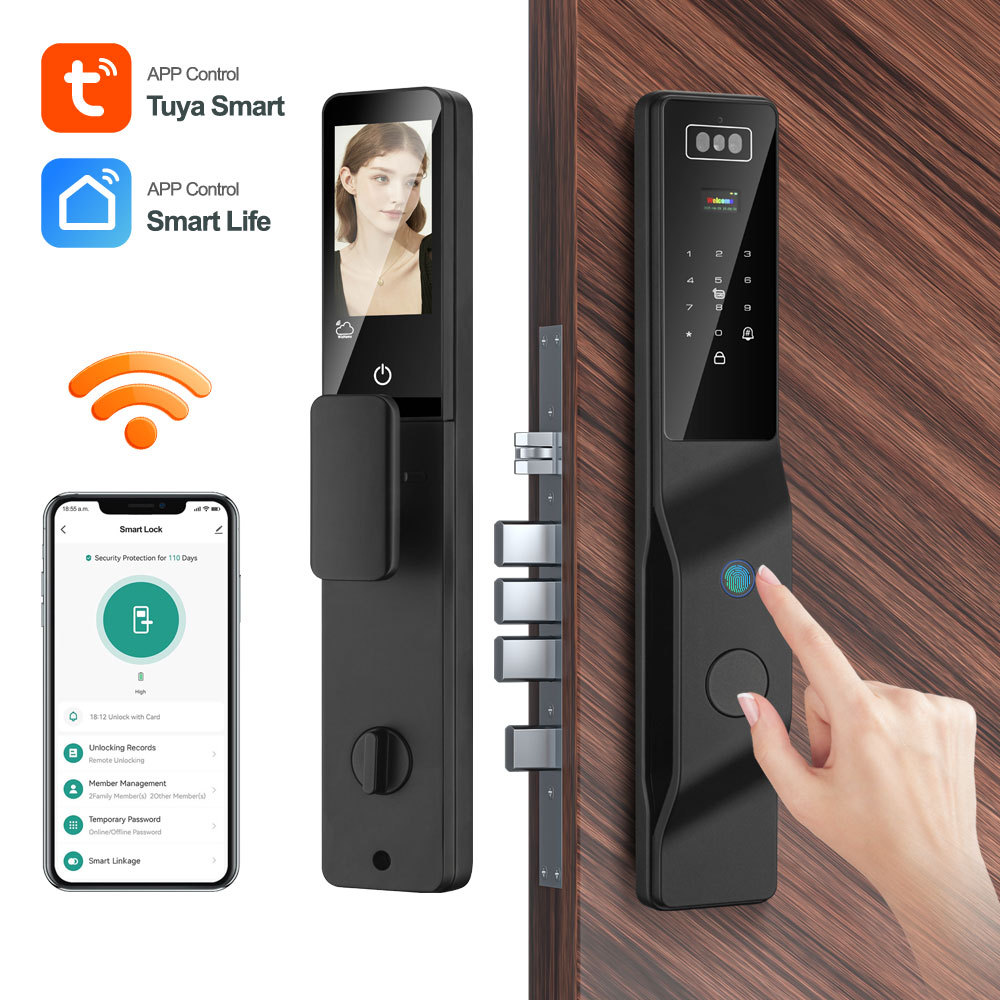
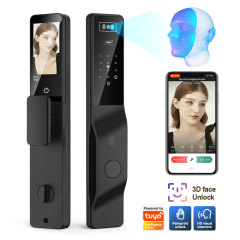
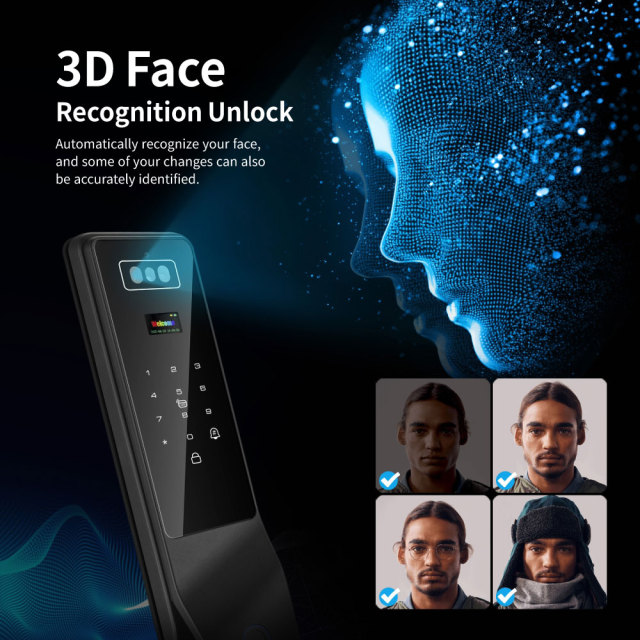
PST-DDL9-TY is a smart door lock for entrances that have to serve a lot of different people. The front plate is cut from aluminium alloy and faced with tempered glass in black, and it carries the whole entry set in one place: a 3D face camera at the top, a numeric keypad and card reader in the middle, a fingerprint sensor and palm reader below them, and a screen that shows whoever is standing outside.

What it usually replaces on site is three separate fittings — a mechanical cylinder, a video doorbell and an intercom handset — along with the wiring and the extra apps that come with them. Here the smart door lock with keypad, camera, card reader and intercom all report through one Tuya account, and a resident who arrives with full hands simply looks at the panel and the door releases.

The day-to-day picture is simple. A tenant walks up, is recognised by 3D face recognition, and is inside in the time it takes to reach for the handle. A courier presses the call button and speaks to the flat, or to the owner's phone if nobody is home. A cleaner is issued a card for the hours they work and loses it the moment the contract ends. None of that requires a key to be cut, copied, collected or lost.

We work as a smart door lock supplier to distributors, integrators and property developers, and this model is most often specified for blocks of flats, build-to-rent schemes, small offices and short-let portfolios. It is worth being plain about one thing: this is not the waterproof model in our range. If the entrance takes driving rain or sea air, say so before you specify and we will point you to the version built for it. For sheltered doors, this is the lock with the widest credential set.

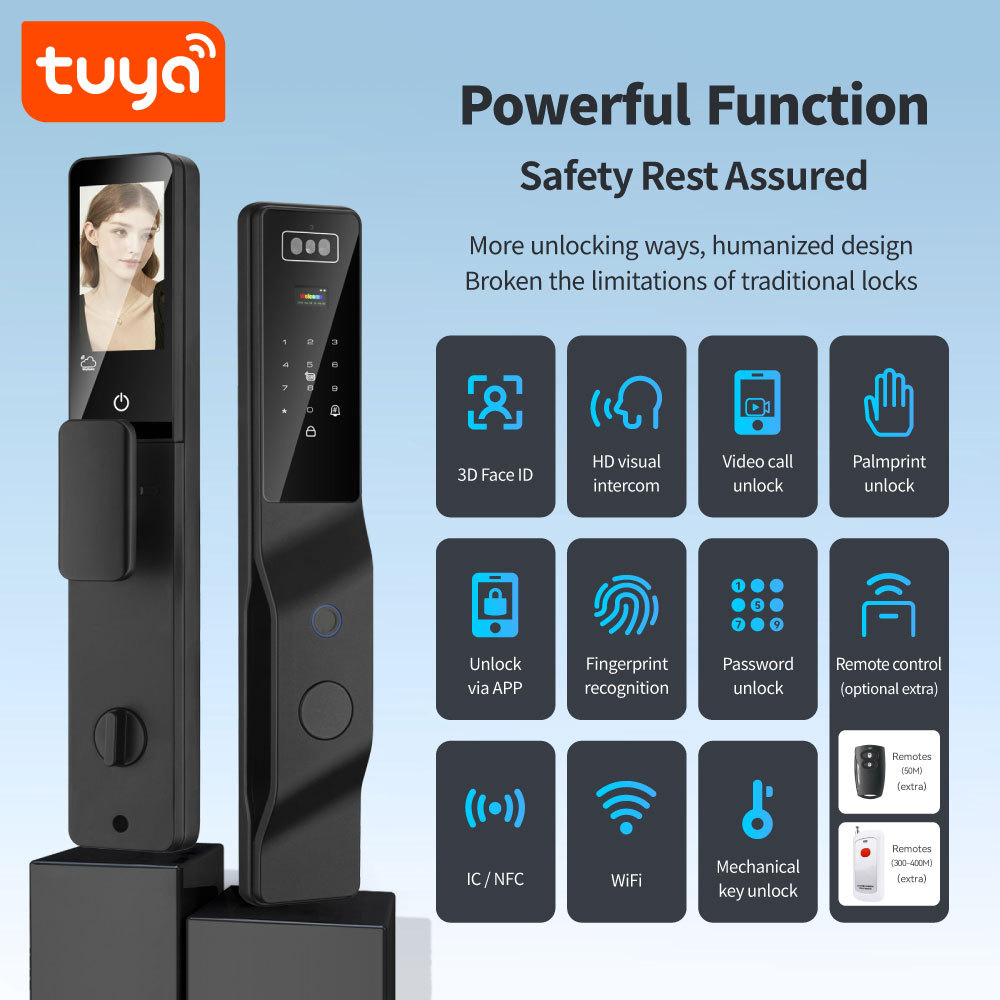
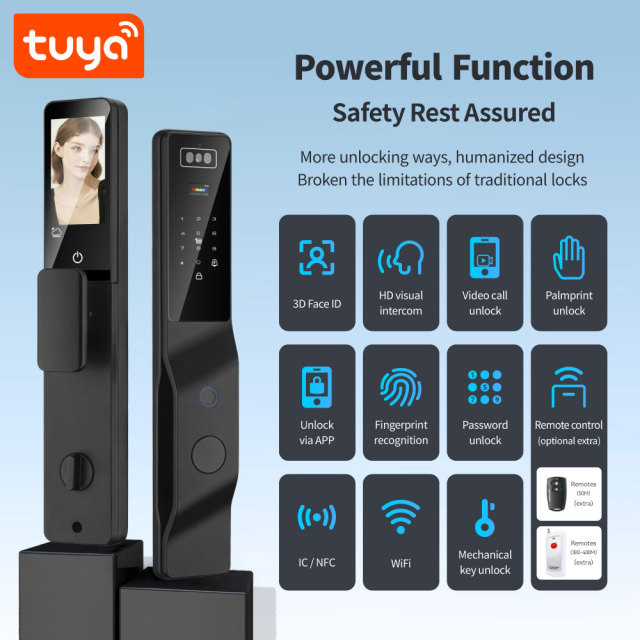
Eight Unlocking Methods

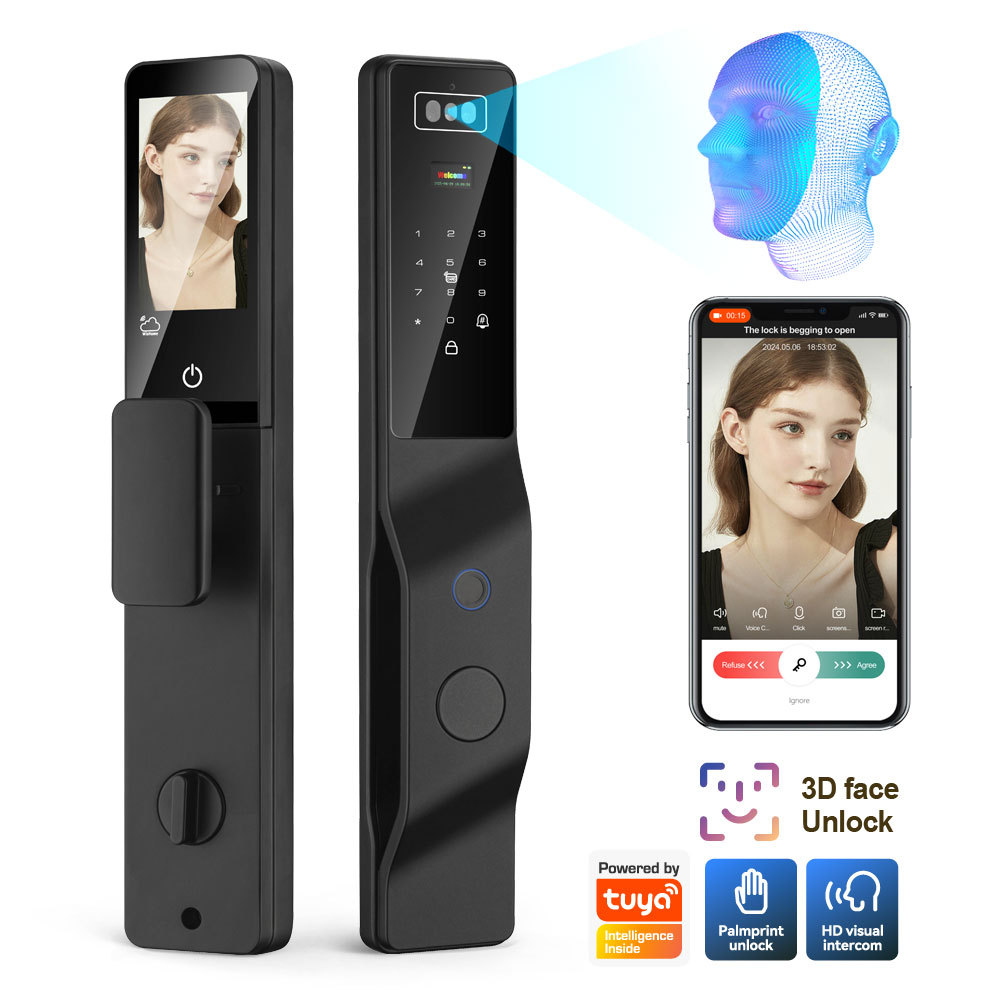
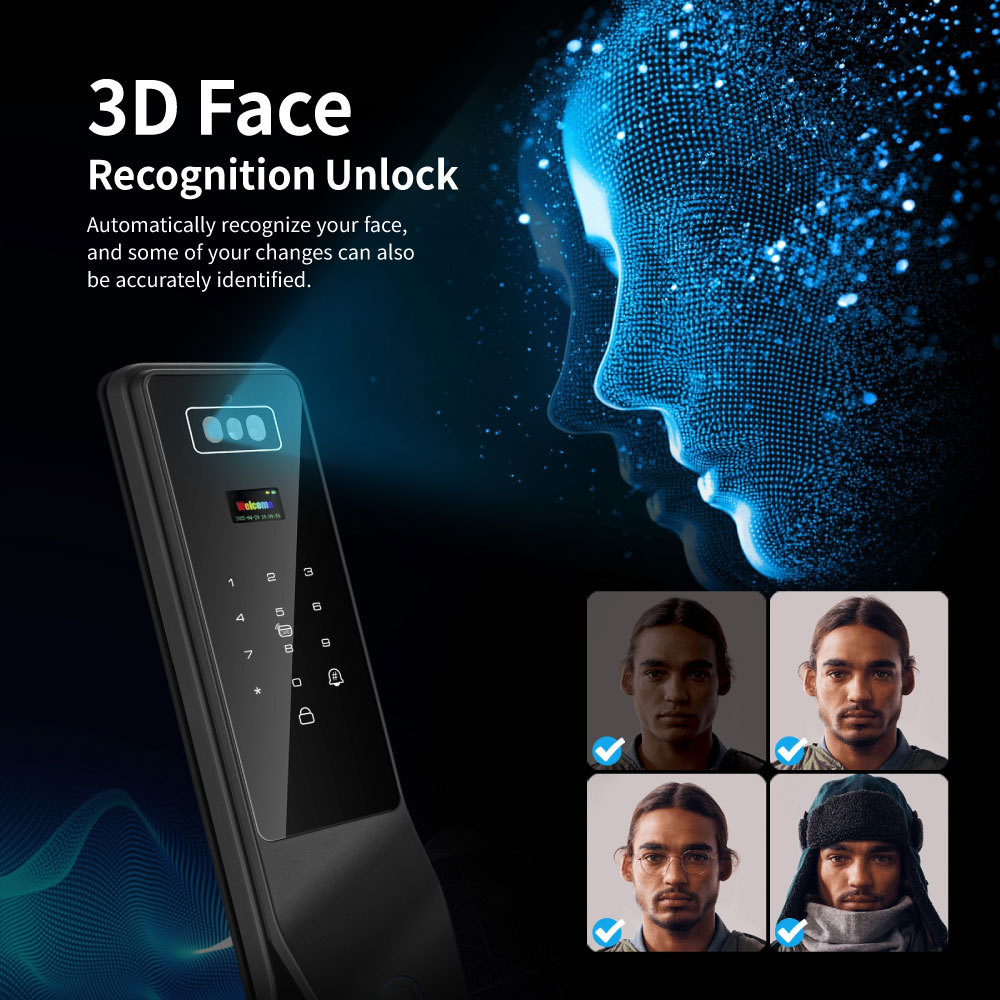
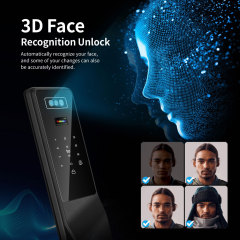
  • 3D face scan. Walk up and the lock reads your face; there is nothing to touch, which is the point when your hands are full of shopping, a pushchair or a parcel.
  • Palm print. Hold a palm over the reader instead of pressing a sensor. It suits anyone whose fingerprints have worn smooth through manual work, and anyone who would rather not touch a shared surface.
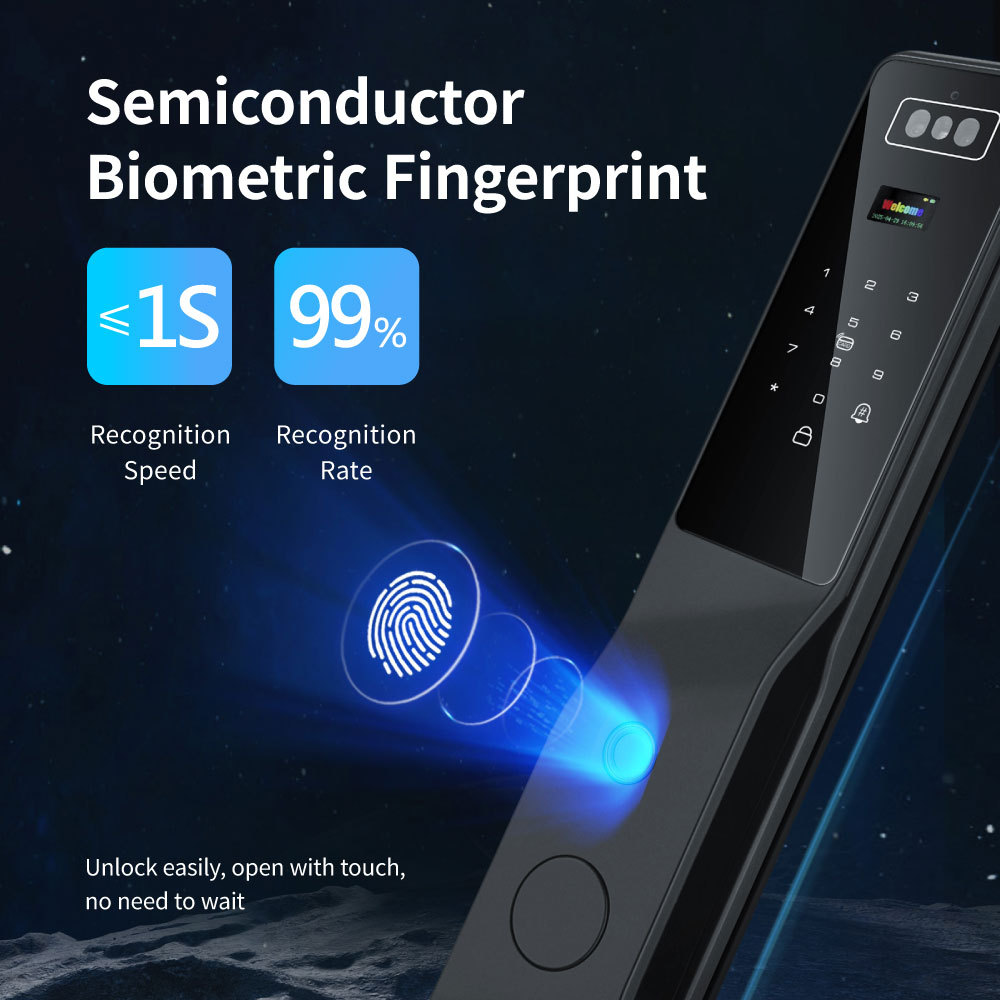
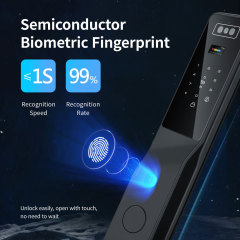
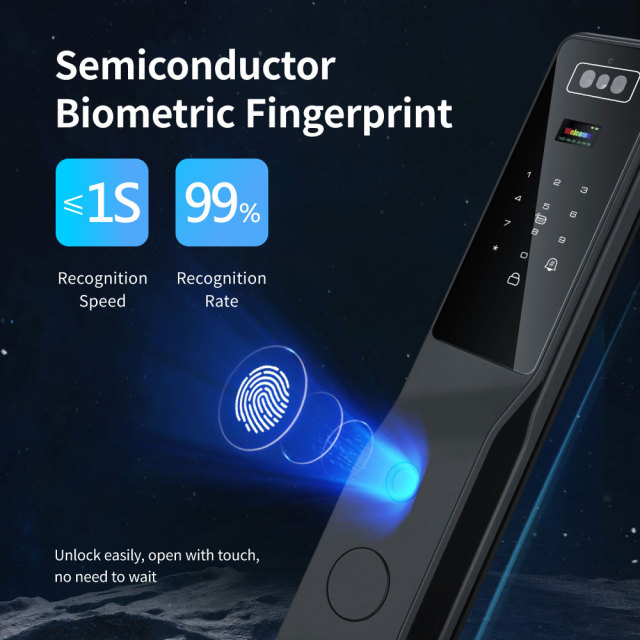
  • Fingerprint. A semiconductor sensor under the glass; one touch and the door releases. Enrol two fingers per person so a cut or a wet hand on a rainy morning does not lock them out.
  • Password on the keypad. The route every visitor understands without an app. Random digits can be typed before and after the real PIN, so someone reading over your shoulder cannot learn the code.
  • IC/NFC card. Hand a card to a cleaner, a driver or a contractor who should have entry for a month and nothing more. Cards are quick to issue and just as quick to cancel.
  • Remote door release. Open the door from the app during a visual intercom call while a courier is standing there — you do not have to wait for them to call first.
  • Temporary password. Generate a code in the app for a set period, send it to a guest or a tradesperson, and delete it when they are done. No key handover, no permanent credential.
  • Mechanical key. Two keys come in the box and the keyhole is concealed behind the panel. It is the answer when the battery is flat or the phone is somewhere else — a fallback a smart door lock manufacturer should never leave out.
  • On a smart fingerprint door lock, the reader is the part people judge first — and this panel carries three of them, doing three different jobs. 3D face recognition is the hands-free route. The camera reads a standing adult at normal speaking distance in about 0.3 seconds, at a rated accuracy of 99.9%, and it is specified to work across a light range of 0.1 to 1000 lux. That range is what matters in real buildings: it covers a corridor lit by a single bulkhead lamp at night as well as a doorway in full daylight, so a resident does not have to stand in one chalk-marked spot to be recognised. Palm print is there for the people a fingerprint sensor struggles with. Ridges wear smooth on site workers, cleaners, cooks and older residents, and a palm holds enough detail to keep working when a thumb no longer does. It is also the credential some people simply prefer, because the hand hovers rather than presses. Fingerprint is the quickest single touch and the one most people default to. The sensor is semiconductor, so it reads the ridge pattern rather than a picture of it, and the door releases in about a second. Enrol two fingers per person — a cut, a burn or wet hands are the usual reasons a perfectly good sensor appears to fail. Enrolment is most accurately done at the door, not at a desk. Take each person through it in the light they will really arrive in and at the height they will really stand at. If a credential starts to hesitate, re-enrol it rather than pressing five times; the second attempt is rarely better than the first.

Door Fit & Operating Data

ItemData
Door Thickness50-80mm
Front Lock Panel420 × 76 × 46 mm
Rear Lock Panel416 × 77 × 73 mm
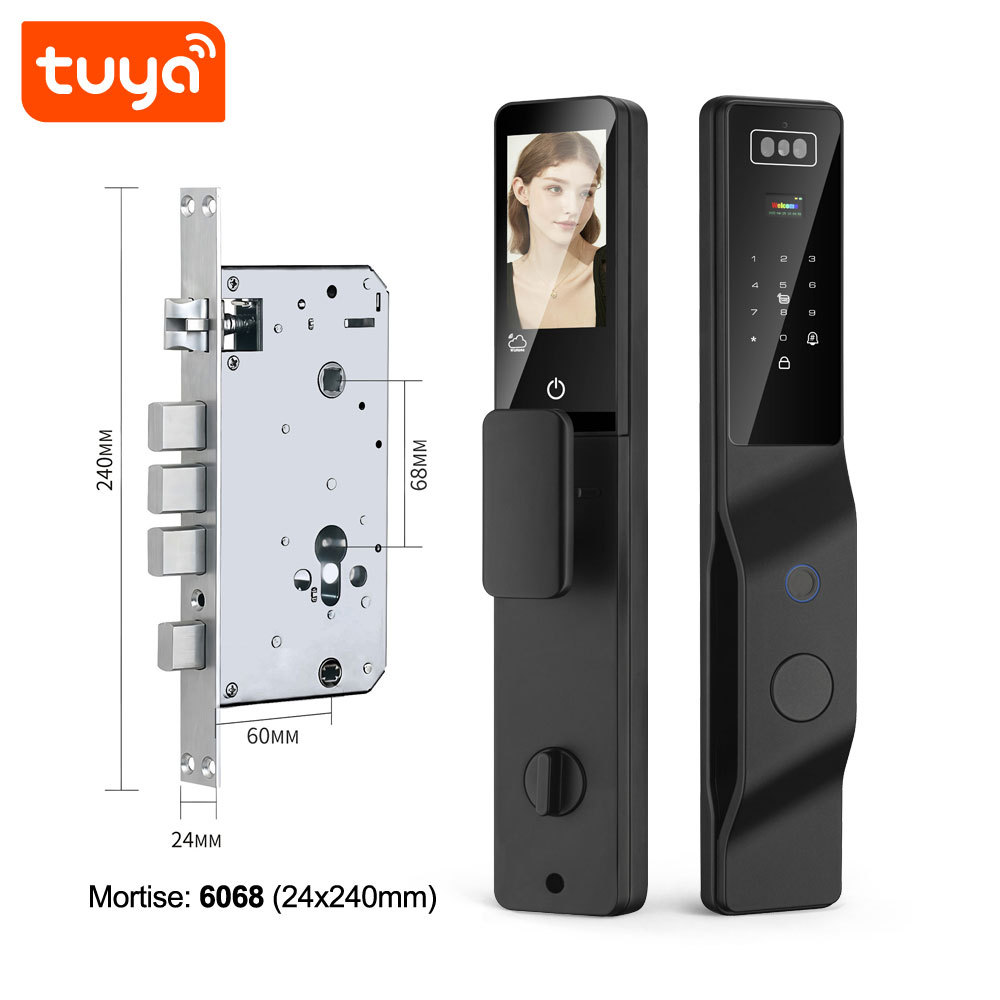
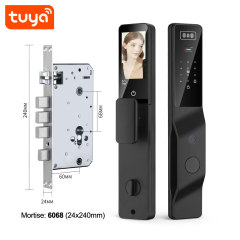
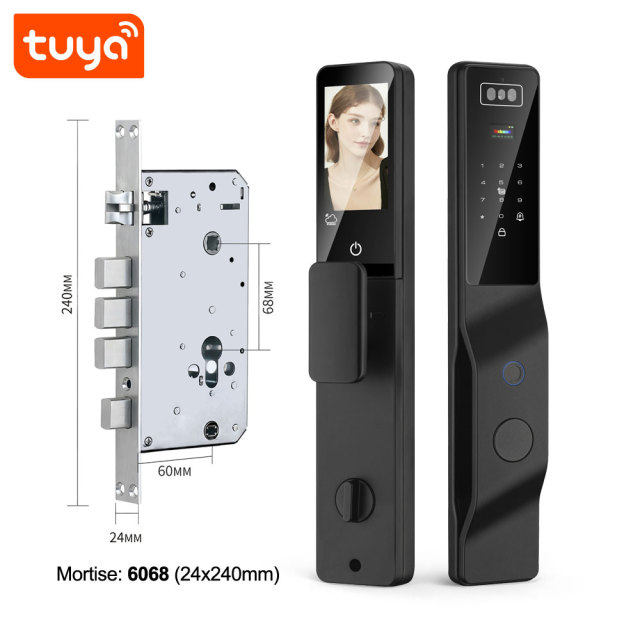
Compatible Lock Body6068 (Not included)
WiFiIEEE 802.11 b/g/n, 2.4 GHz
Operating Temperature−10 °C to +50 °C
Humidity5%--95% non-condensing
Unit Box462 × 262 × 130 mm
Unit Weight3.1kg(Not include lock body)

Access Control & Audit Trail

  • Admin and user tiers. Admin credentials enrol people, delete them and change settings; user credentials only open the door. Keep admin rights with the people who run the building, not with every resident.
  • Planning the credential mix. 3D face recognition and palm slots are the scarcest, fingerprint next, and cards and PINs cover everyone else. In practice, permanent residents take face, regular staff take fingerprints, and occasional users get a card or a temporary code.
  • Remote control from the app. An administrator can open the lock, lock it, read the access log and generate a temporary password, and remote opening works directly rather than waiting for the visitor to call first.
  • Access log and notifications. Every entry is stamped with a time and the credential used, and the app pushes open and lock events. When a cleaner says they arrived at nine, the log answers the question.
  • Temporary access. Issue a password for a set period, send it to a guest or a contractor, and delete it afterwards. It expires without anyone having to remember it.
  • Revoking access. Removing a face, palm, fingerprint, PIN or card from the smart fingerprint door lock closes that route immediately, and the history of past entries stays on record.
  • Alarms. The lock raises alerts for repeated wrong-code attempts, tampering or forced opening, and low battery, and sends them to the app so the person who can act is the person who is told.
  • Scenes and sharing. Because the smart home door lock lives in the Tuya ecosystem, it can join a scene — open the door and a hallway light comes on, or an away routine that arms the lock and starts the cameras. The device can also be shared with a co-manager in the app.

Visual Intercom & Display

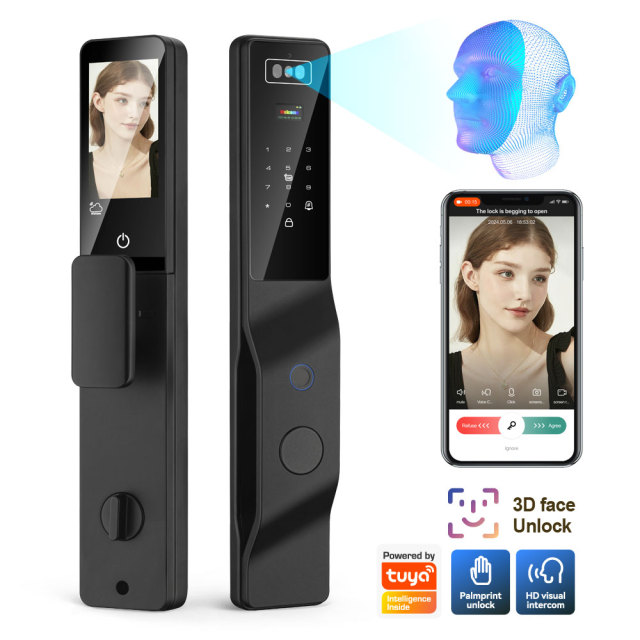
The middle of the front plate is a screen, and it changes what a doorbell does on a smart home door lock. When a visitor presses the call button, the panel lights up with a live view of them and the same view arrives on the phone of whoever answers. From there the conversation is two-way: the visitor hears you through the lock, you hear them, and the entry can be released from the app without walking to the door.

The screen also does the job a spyhole used to do. Anyone who has watched a child or a wheelchair user stretch for a door viewer will recognise the problem — here the caller's face is at a comfortable height, and the panel shows the lock's own state at a glance: locked or open, battery level, and the menu for whoever is administering it.

Used from inside, the panel behaves like an ordinary door station: view, speak, release. Used from outside, it behaves like a remote one. The difference is only which end of the Tuya app you are on, and it is the same device either way.

A smart door lock manufacturer should build for one practical office and build-to-rent use that a plain lock cannot offer: a reception door without a receptionist. Deliveries, contractors and late-arriving staff call the panel, the facilities manager answers from wherever they are, and nobody has to sit at a front desk for the door to work.

Power, Charging & Emergency Entry

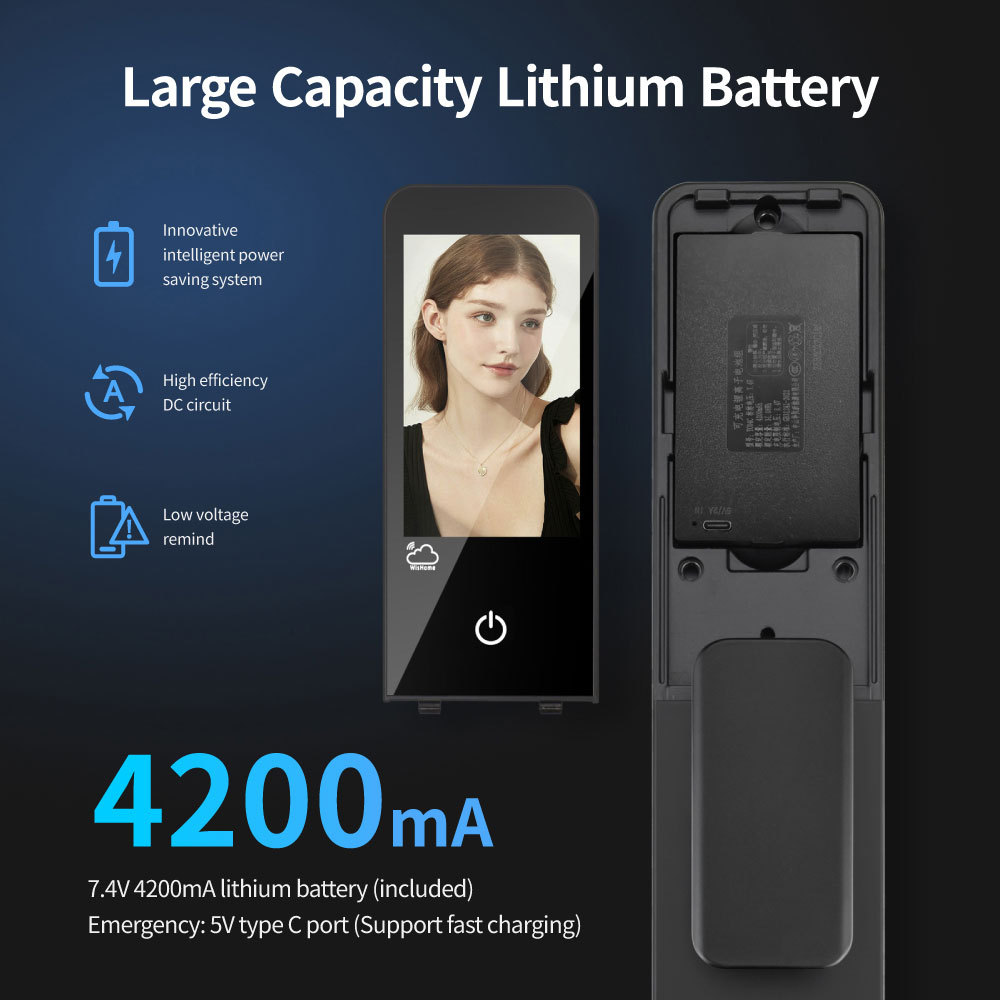
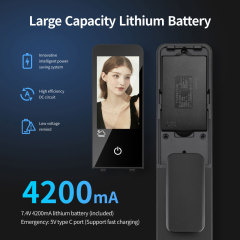
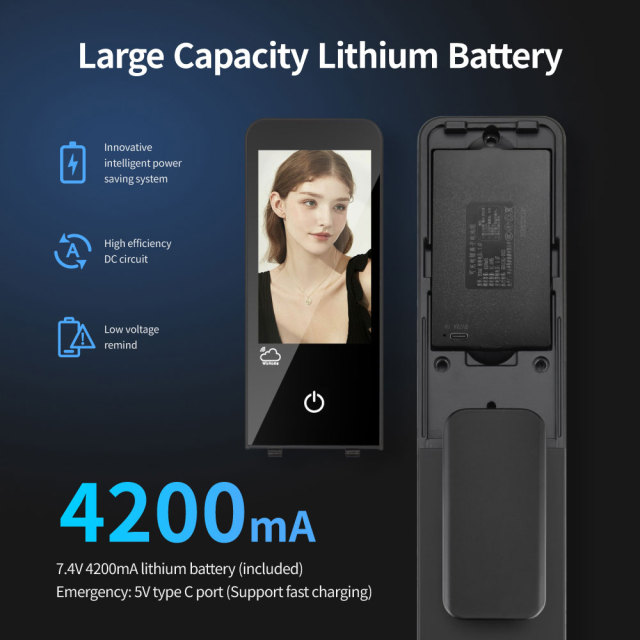
  • Battery routine. The smart home door lock runs on a rechargeable lithium pack behind the rear panel. In a quiet home it is a periodic chore; on a building entrance with dozens of passes a day it needs an owner and a reminder in the calendar.
  • Charging. On the smart door lock with keypad, recharging is over the Type-C port, which sits on the outside so the same port does emergency duty.
  • Low-battery warnings. The lock and the app both warn well before the pack is flat. Treat the warning as the moment to schedule a charge, not the moment to start carrying a key.
  • Emergency entry. If the pack is flat and nobody has charged it, the concealed keyhole takes the mechanical key, and a 5V Type-C power bank wakes the panel for a single opening.
  • Standby draw. Standby current stays below 80 µA, so the display and the radio are not draining the pack between uses. What flattens a battery in practice is a door in constant use, not idle time.
  • Touchscreen battery cover. The battery cover is now a touchscreen panel. Units without that cover still work normally — it adds a control surface on the inside, and none of the lock's entry functions depend on it.
  • Keep a fallback where people can find it. As a smart door lock supplier, we tell property teams to hold one mechanical key off site and one power bank in the maintenance kit, and to tell whoever is on call where both are kept.

Specifications

SpecificationDetail
Product NameTuya Smart WiFi Fingerprint Door Lock 3D Face & Video Intercom & Palm & Peephole
Model No.PST-DDL9-TY
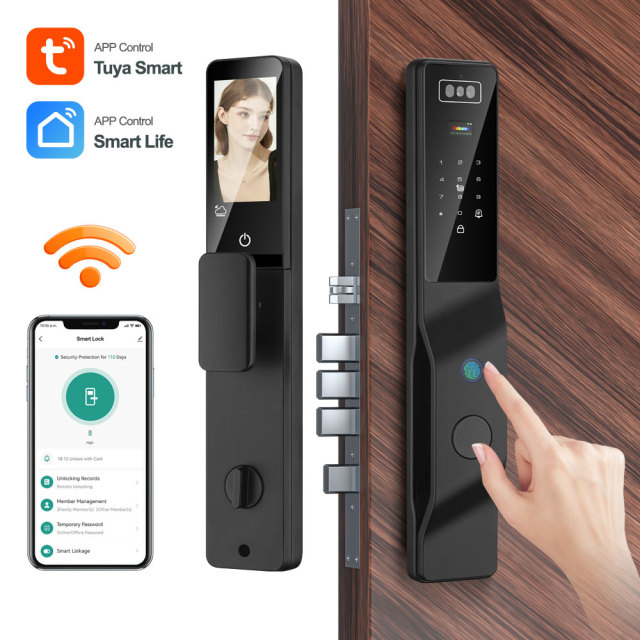
AppTuya Smart or Smart Life
Default ColourBlack
MaterialAluminum alloy + tempered glass panel
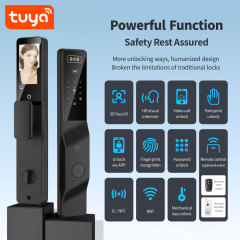
Entry MethodsFingerprint, password, card, key, temporary password, remote, face scan, palm print
Screen4.5-inch integrated screen
3D Face Camera2.0-megapixel camera
System Capacityin total support 300: 3 admin + 297 users: 1. Face and palm max 50; 2. fingerprint max 100;
Power Supply7.4V 4200mA Lithium battery
Emergency Power5V Type-C DC
Multi-LanguageChinese, English, Vietnamese, Portuguese, Arabic, Russian, Thai, Spanish, Indonesian

Installation & Commissioning

  1. Measure the door leaf, confirm it falls inside the thickness range for this model, and check the leaf is solid enough to carry both panels.
  2. Look at the mortise. If the door already has a 6068 body, the lock mounts straight onto it. If it does not, order the body with the lock — it is not in the box.
  3. Offer the front panel up before drilling anything, mark the cable route through the door, and drill slightly wider than the cable so both panels can sit flush.
  4. Fit the mortise and the front panel with the supplied fixings, feeding the cable through the leaf as the panel goes on.
  5. Mount the rear panel, connect the battery pack and close the cover, checking that the spindle engages smoothly before the panel is tightened down.
  6. Power on the smart door lock, create the first admin credential, then set the language and the time from the keypad so the log timestamps make sense from day one.
  7. Enrol people at the door — face, palm and fingerprints — in the light and at the height they will really use, and add cards and PINs for anyone without a biometric credential.
  8. Join the lock to the 2.4 GHz network in the Tuya Smart or Smart Life app, then test remote unlocking, the call button, notifications and the mechanical key before leaving site.
  9. Hand over properly: two keys, the cards, the manual, the admin credential and a short printed note telling the resident how to add a temporary code.

OEM & ODM Service

We build this lock for buyers who need it under their own name. The customisation routes are the ones that matter on a door: a printed box, a printed manual, a laser-etched logo on the panel and a logo on the power-on screen. Each route is proofed before it is produced — you approve the artwork, we print or etch exactly that.

The structure behind those routes moves with volume and artwork complexity: box and manual branding is handled differently at different order sizes, and the laser logo and screen logo routes carry their own minimums. Ask your sales contact for the current structure rather than working from an old list, and send the logo files together with the market and the volume you have in mind so the answer comes back specific.

For a distributor, this is usually enough to launch a house brand without tooling a new lock. For an integrator, it is a way to keep one visual identity across a building where the entrance lock, the door phone and the access control all carry the same mark. For an OEM buyer building a catalogue, the model sits in a lock family with a waterproof-rated sibling and a dual-camera sibling, so several entrance types and price points can be covered in one programme.

As a smart door lock manufacturer we handle proofing, production and packing to the artwork you approve, and we will say so when a requested change is not worth the tooling. For wholesale smart door lock orders, the fastest start is one message with the logo files, the destination market and the volume you expect.

Ordering & Delivery

  1. Confirm the configuration. With or without a 6068 mortise body, with or without the RF433 remote controller. Black is the standard finish; tell us if the project needs another colour and we will confirm what is available.
  2. Confirm the door. Send the door material and thickness and say whether a 6068 body is already fitted — the smart door lock with keypad ships without one, and the wrong body is the most common reason a lock comes back off a door.
  3. Confirm branding. If boxes, manuals or panels carry your logo, approve the artwork before production is scheduled.
  4. Confirm packing. Units are packed six to a carton; tell us if you need shelf-ready cartons, a particular pallet build or mixed cartons, and we will confirm what is possible at your volume.
  5. Confirm the commercial terms. Price, lead time and payment terms are quoted per order, so ask your sales contact for the current figures rather than working from an earlier quotation.
  6. Confirm delivery. Shipping terms, port and export documents are agreed at order stage with the same contact.
  7. Keep one line of contact. As a smart door lock supplier we hold the lock, the body, the remote and the packaging on a single order, and wholesale smart door lock programmes keep the same contact from first quotation through to dispatch.
  8. - Fingerprint door lock, front and rear panels — 1 set - Mechanical keys — 2 - IC cards — 2 - User manual — 1 - 6068 mortise lock body — not included; add it to the order when the door does not already carry one - RF433 remote controller — optional accessory, ordered separately, for anyone who would rather open the door without a phone

Testing & Compliance

Compliance paperwork matters as much as the hardware itself. The Tuya-based smart home and smart electrical products we supply carry FCC, CE, UL and RoHS certification, and every order passes 100% quality control before dispatch. Tell us which directive, standard or market your buyers check against, and we will confirm the applicable certificates and third-party test reports for the models you plan to stock — issued per project, never as blanket claims. When a range is updated, we help distributors keep their files current, and we stay with you through replacement and after-sales.


FAQ

Which app runs the lock, and does it need a hub or a 5 GHz network?

Tuya Smart or Smart Life — either app controls the same lock, and you only need one. There is no separate hub: the lock joins your WiFi directly, on 2.4 GHz only (IEEE 802.11 b/g/n). It will not join a 5 GHz network, which is the single most common reason a smart door lock refuses to establish a connection during commissioning.

What happens if the internet or the building WiFi goes down?

Face, palm, fingerprint, PIN, card and key all keep working, because those credentials are stored on the lock itself. What stops is the app side — remote unlocking, notifications, live intercom and log review — until the connection comes back. Plan the entrance so the people who live or work there can still get in without a phone.

Will it fit a metal or composite door?

Yes, as long as the leaf is inside the thickness range and can take a 6068 mortise. Metal and composite leaves are common for this lock in office and build-to-rent work; what decides the fit is the mortise pocket and the flat area around it, not the face material. Send a photo of the door edge and the existing lock body before ordering and we will confirm.

Is this the right lock for an exposed or coastal entrance?

This is not the waterproof-rated model in our range. Its operating temperature and humidity range suit sheltered entrances — a recessed doorway, a corridor, an internal lobby — but it is not the one to specify where the door takes driving rain or salt air. Tell us about the entrance and we will point you to the version built for it.

How do I change the display language?

From the keypad, using the command codes printed in the manual — for example 555666880# selects English. The same list covers Chinese, Vietnamese, Portuguese, Arabic, Russian, Thai, Spanish and Indonesian, so a building can be handed over in the language its residents actually read.

How should I clean the camera window and the fingerprint sensor?

A dry microfibre cloth is enough for both. Avoid solvents and abrasive pads on the tempered glass, and avoid spraying cleaner at the camera or the sensor — moisture and residue are what make a good reader hesitate. Clean a dusty sensor before deciding it needs re-enrolling.