Product Overview
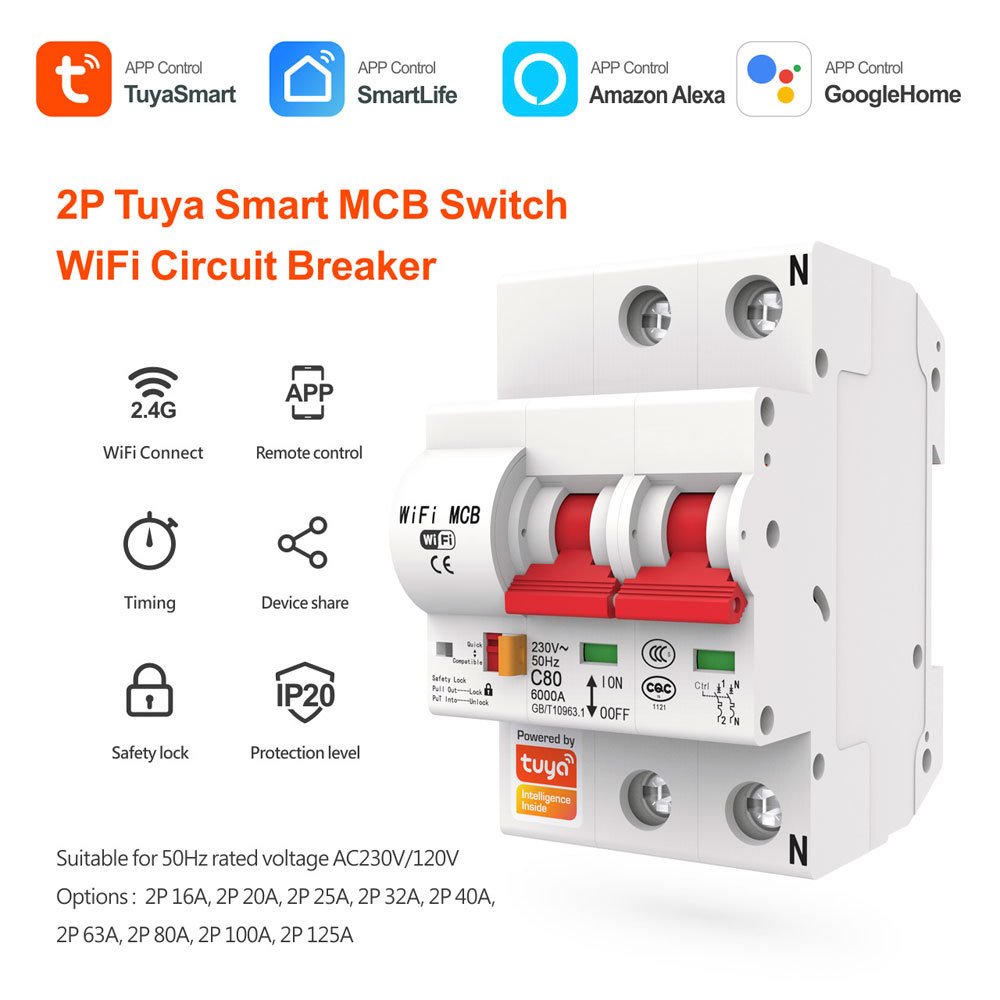
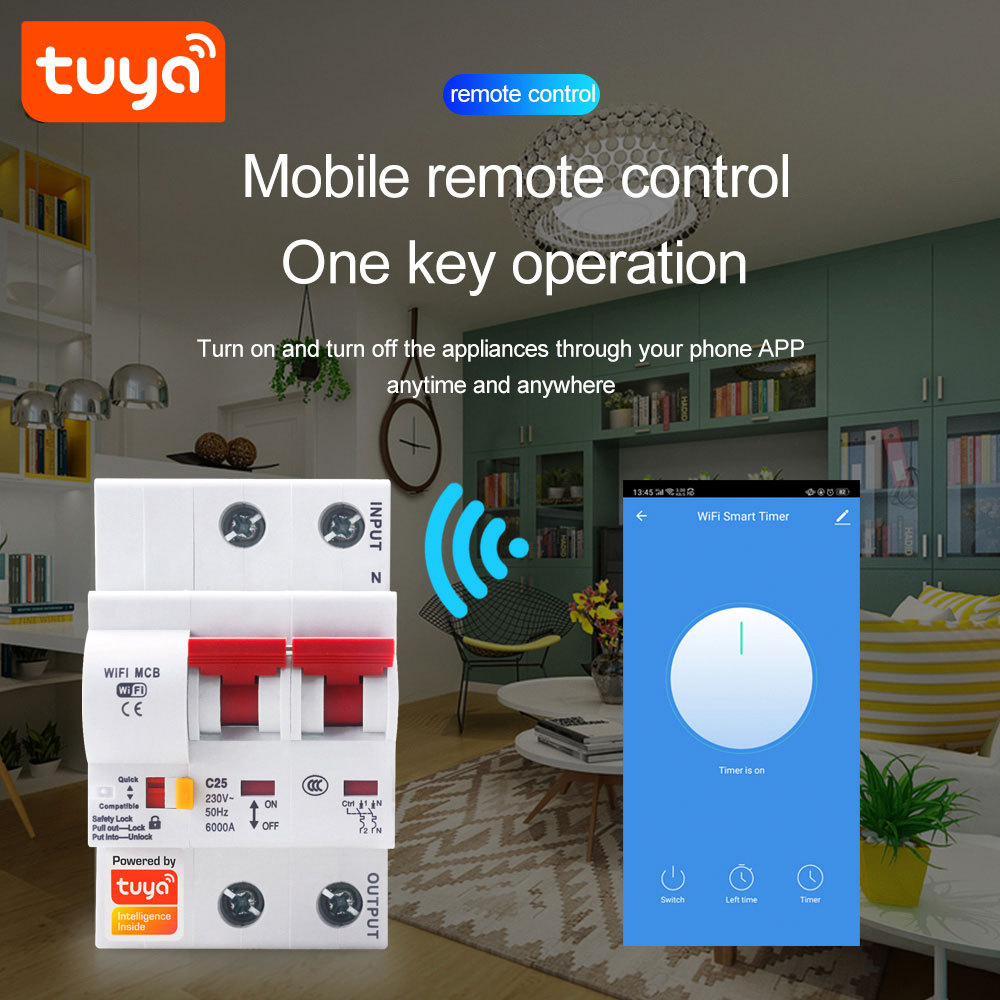
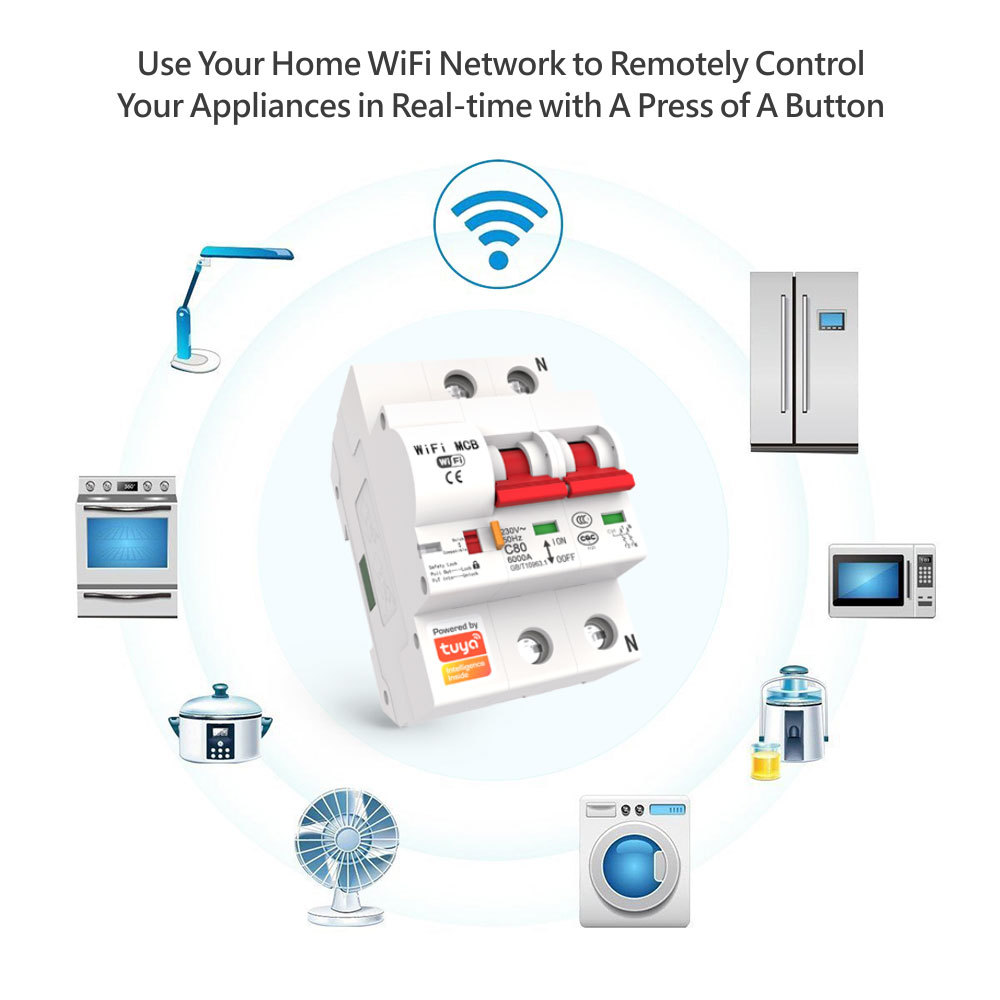
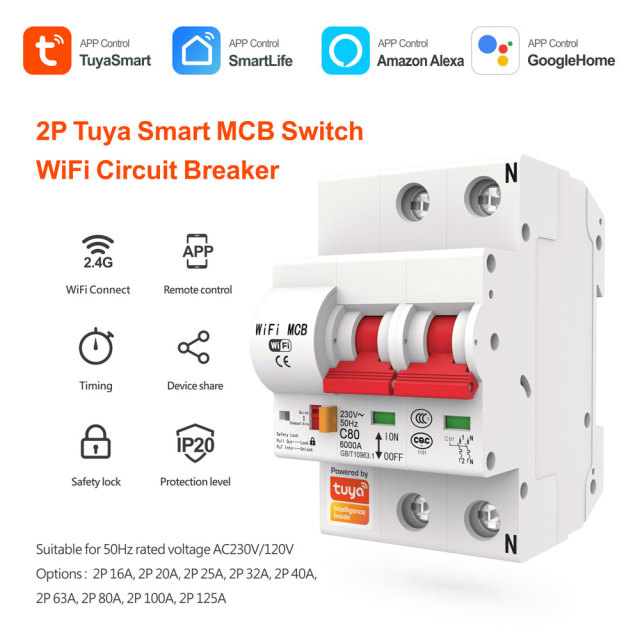
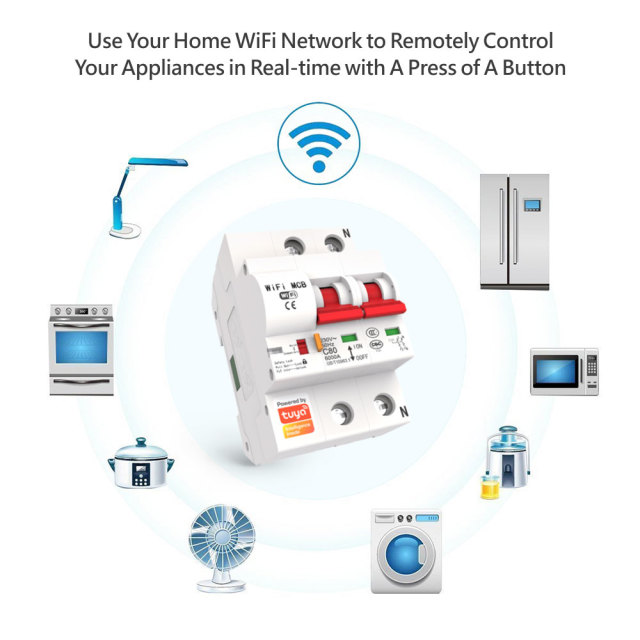
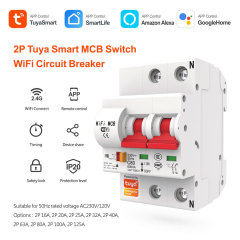
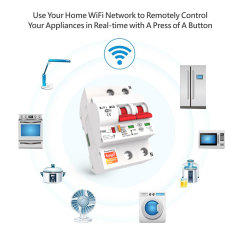
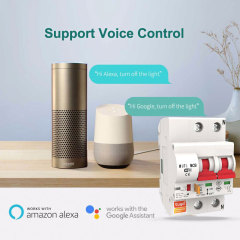
A Tuya smart MCB is a two-pole miniature circuit breaker with a WiFi module built in. From the front it looks like any other 2P MCB — two red levers, screw terminals top and bottom, a clip for a 35 mm DIN rail, a 6 kA breaking capacity — and the difference is that the same circuit can be switched from a phone as well as by hand. Tuya Smart or Smart Life handles the app side, Amazon Alexa and Google Assistant handle voice, and the unit joins the network directly over 2.4 GHz WiFi with no gateway in between. Electricians install it as a smart breaker switch; the site owner gets a circuit they can finally switch without walking to the board.
Its place is at the board, not on the wall. A WiFi touch switch replaces the switch in a room; the WiFi circuit breaker replaces the breaker in the panel and takes the whole circuit downstream with it. That covers the signage and window lighting in a shop, the water heater in a rental flat, a workshop bench that should be dead overnight, exterior lighting nobody wants burning until morning, and the ring of sockets feeding a television, a router and the rest of the smart home appliances in a living room. Where the load is fixed and the wall switch is not, this is the component that solves the problem.
Stockists usually put it into a panel order rather than buying it alone, alongside a smart meter, contactors and a box of conventional MCBs, because it shares the same rail, the same 2-module footprint and the same terminal layout as the breakers already in that order. The enclosure plan and the installer's routine do not have to change to make room for one smart circuit.
Ratings run from 16 A to 125 A, so one line covers lighting sub-circuits through to the main feed of a small shop. We supply it as a smart breaker switch manufacturer to distributors, electrical wholesalers, contractors and private-label brands, and every unit leaves here labelled with its model and rating — ready for a shelf, a catalogue or a site.
Teams putting smart meter solutions together — a landlord with twenty flats, a chain with thirty shops — get the most from it because each circuit can be named, scheduled and switched on its own, without a touch switch in every room and without rewiring the board.
Performance & Protection
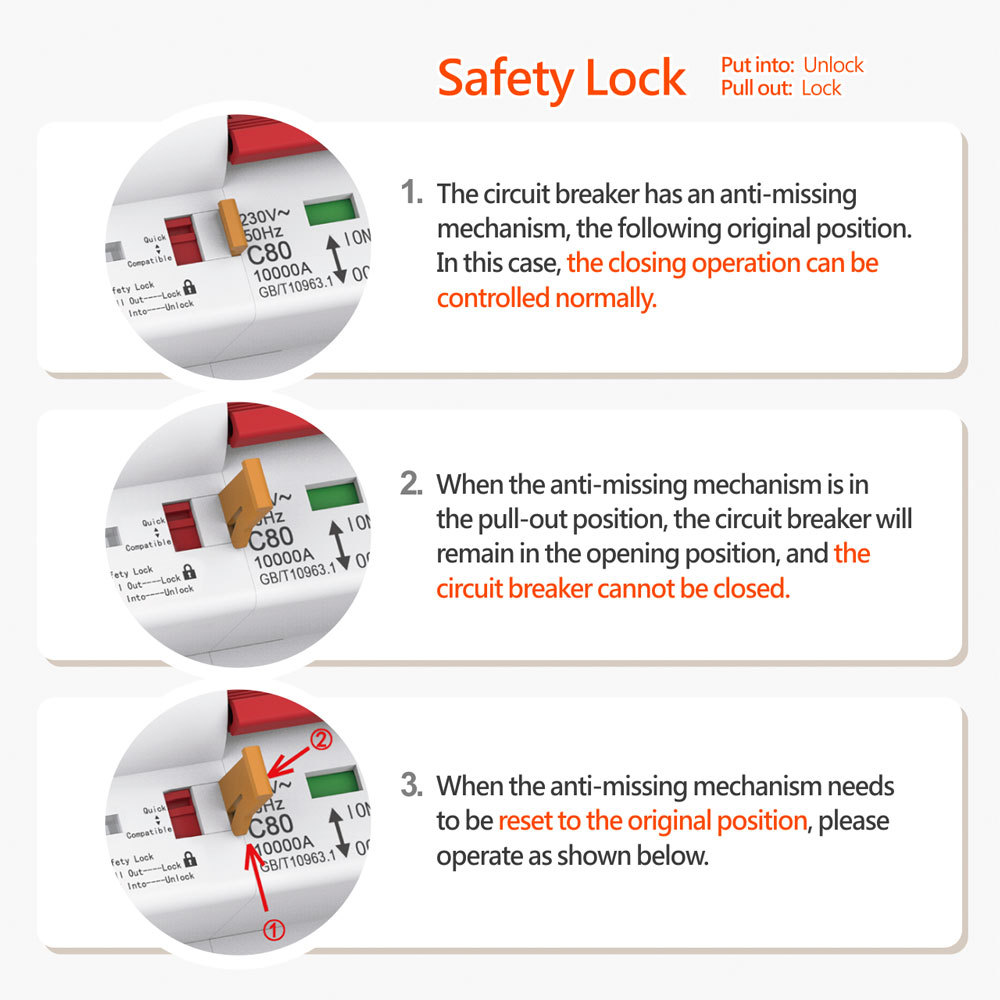
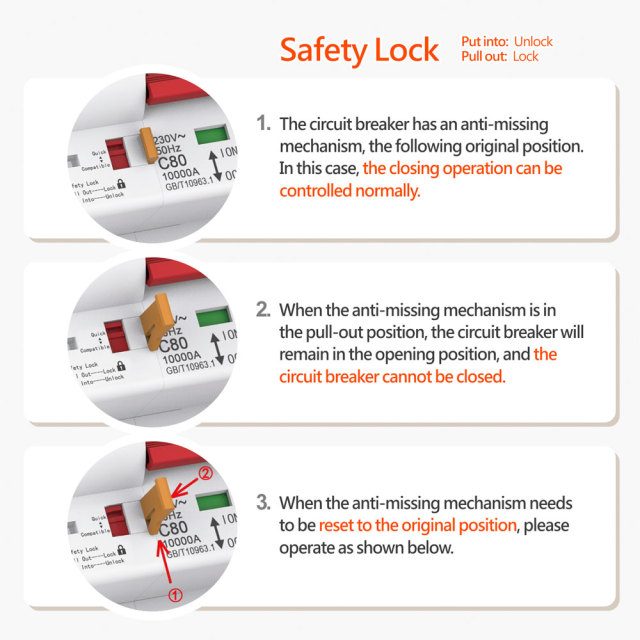
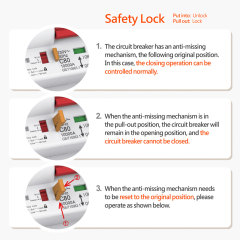
- Protection first, control second — the smart breaker switch, a 2P circuit breaker, still trips on overload and on short circuit exactly as a conventional MCB does. Remote control is an added layer on top; it never bypasses the trip mechanism. - A physical safety lock — a slide tab locks the lever: pull it out to lock, push it back in to release the lever. During maintenance on a live board, that is what stops someone toggling the circuit from the app. It is not a weatherproof device; outdoors, the protection has to come from the enclosure. - Life ratings you can plan against — at least 10,000 mechanical operations and at least 6,000 electrical operations at rated current. For a sign switched twice a day that is decades of use; for a pump on a timer it is a figure worth checking against the switching cycle.
Sizing & Installation
- Choose the rating from the cable, not the appliance. Work out the load, then check the conductor. 16 A to 32 A covers socket rings, lighting sub-mains and small heaters; 40 A to 63 A suits a shop sub-main or a large appliance feed; 80 A to 125 A is main-feed territory. A breaker rated above what the cable can carry protects nothing.
- Plan the board before you order. If the project is part of a wider rollout — a wholesale smart meter across a block of flats, one smart board per shop in a chain — settle the circuit list now. Some circuits get a remote control breaker; the rest stay conventional.
- Allow for the metering layer. Where a smart meter sits in the same enclosure, plan rail space and labelling together so the electrician is not improvising inside a closed board.
- Isolate and prove dead. Switch off upstream, lock off and test before touching a conductor. The breaker's own lever is not the isolation point.
- Land the copper. Strip and seat the conductors in the screw terminals, live and neutral to the marked sides, and tighten firmly — a loose terminal is the commonest cause of a hot joint in a distribution box.
- Clip it onto the rail. Tilt the unit onto the 35 mm DIN rail until it clicks, then leave the lever at OFF until commissioning. The 2-module width matches a conventional 2P circuit breaker, so it drops into space already planned.
- Pair it, name it, label it. Pair to Tuya Smart or Smart Life, give each circuit a name that means something on site ("front signage", "flat 3 heater") and write the same name on the front. Where a smart energy meter shares the enclosure, fit the breaker on the same rail so both devices sit on the same conductor.
- Hand over properly. Share app access with the people who will actually use it, and show them where the manual override is — the lever on the smart breaker switch still works when the WiFi does not.
App, Voice & Scheduling
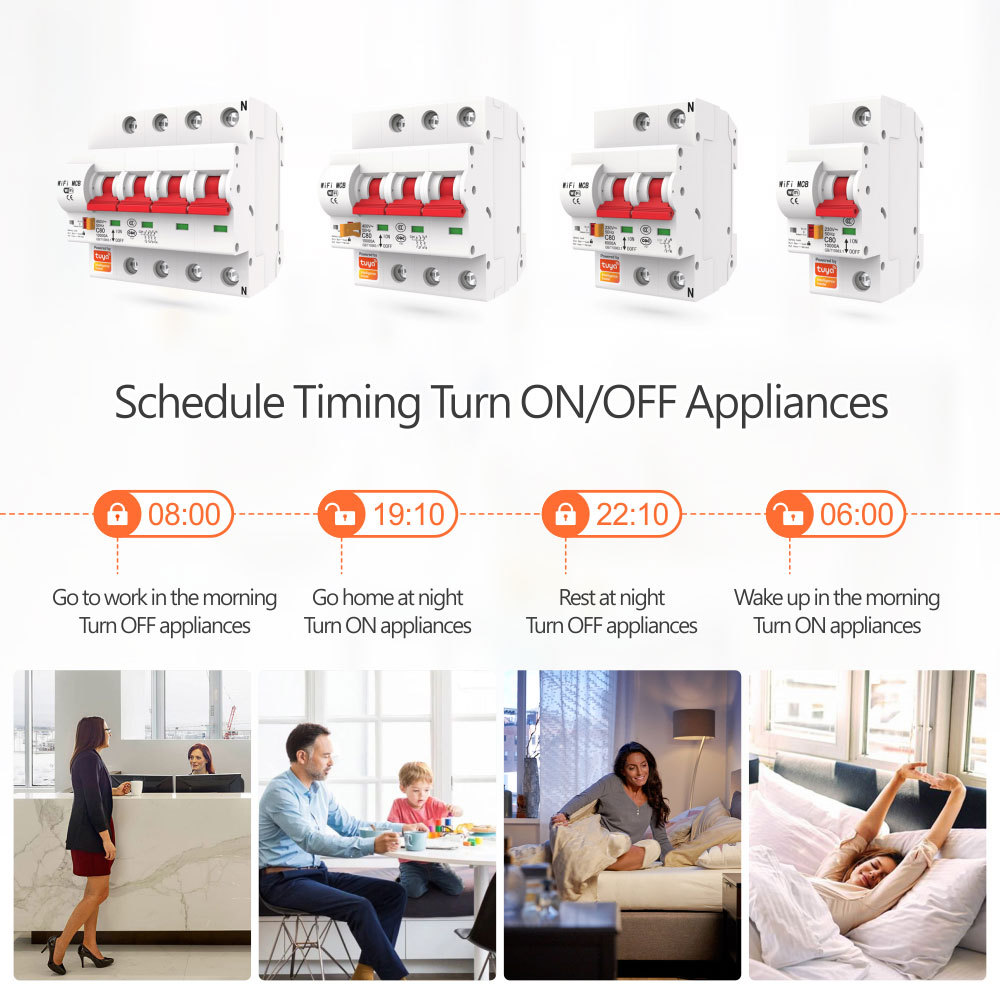
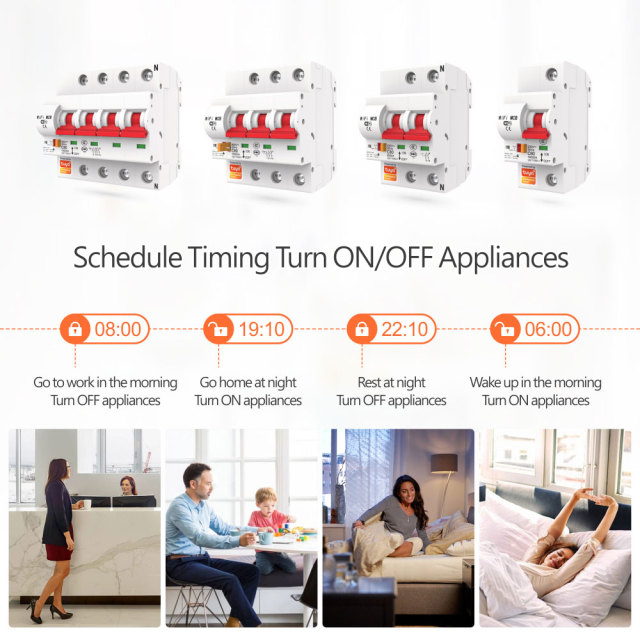
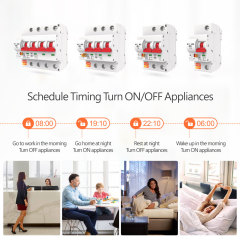
- One app, every circuit — the remote control breaker joins Tuya Smart or Smart Life over the premises' WiFi. Add as many units as the board holds and they sit in a single list, grouped by room, by board or by building if you manage more than one property. - Daily and weekly schedules plus a countdown — shop signage off at closing time, a water heater on for forty minutes each morning, a compressor isolated from Saturday noon to Monday. Set it once and it repeats. - 2.4 GHz only — the WiFi circuit breaker's radio is IEEE 802.11 b/n/g on 2.4 GHz and will not join a 5 GHz network. Check what the router is broadcasting before you hand the site over; most domestic routers offer both, so it is a naming question rather than a hardware one. - Voice when hands are full — Alexa and Google Assistant both work, which is useful in a kitchen, a stockroom or anywhere the phone is not in reach. - Monitoring, not billing — invoicing-grade consumption data comes from a dedicated smart meter at the supply. This breaker switches and protects the circuit in front of it, and the two sit on the same rail without interfering. - Use it on the loads that matter — water heaters, air conditioners, signage, pumps and the sockets behind the smart home appliances in a living room or an office. Anything with a predictable on/off rhythm is a good candidate for a schedule. - Multi-site rollouts — where smart meter solutions are being delivered building by building, agree a naming convention in the app on day one. Renaming two hundred circuits six months later is the part nobody budgets for.
Specifications
| Parameter | Value |
|---|
| Product name | Tuya Smart 2P WiFi MCB Circuit Breaker Switch |
| App and switching | Tuya Smart or Smart Life; manual toggle or mobile phone |
| Poles | 2 poles (2P) |
| Rated current | 16A/20A/25A/32A/40A/63A/80A/100A/125A |
| Input / output voltage | AC 120 V / 230 V |
| Breaking capacity | Icn = 6 kA, Ics = 6 kA |
| Connection | Screw terminal, copper, 25 mm² wire compatible |
| Main functions | Remote on/off control, overload protection, short-circuit protection |
| Current monitoring accuracy | ±5% |
| Protection degree | IP20 (suitable for indoor distribution boxes) |
| Mechanical / electrical life | ≥10,000 operations / ≥6,000 operations at rated current |
| WiFi and voice | IEEE 802.11 b/n/g, 2.4 GHz; Amazon Alexa, Google Assistant |
| Operating conditions | −25 °C to +65 °C, 5%–95% RH non-condensing |
| Typical installation | 2P, usually home and shop distribution boards |
| Box and weight | Box 10.5 × 12 × 11.6 cm; 0.36 kg per unit |
Package List
- WiFi circuit breaker ×1 — the 2-pole unit with both levers and terminal screws in place.
- User manual ×1 — terminal layout, fitting the DIN rail breaker and the app pairing walkthrough.
- No gateway, no hub — the remote control breaker talks to the router directly, so there is nothing else to install in the board and nothing else to stock alongside it.
- Terminals ready for the installer — screws backed out and levers at OFF, so wiring can start as soon as the box is open.
- Labelled and boxed for resale — model and rating are printed on the box, so a wholesaler or a private-label brand can shelve it without repacking.
- A finished unit, not a kit — one breaker and one manual, no accessory bag and no separate WiFi module. That matters if you buy as a smart breaker switch manufacturer's distributor and add the breaker to an existing panel range: there is nothing extra to kit.
OEM & ODM Options
- Decide what carries your brand. Whether you sell as an electrical wholesaler or as a smart meter manufacturer with your own panel range, there are three levers: your PID printed on the unit, your product box and user manual, and a laser logo on the housing. They can be combined or taken one at a time — PID and box/manual from 1,000 pcs, laser logo from 100 pcs.
- Send the artwork and the PID. Box dielines, manual text and logo files in a usable format. If a wholesale smart meter part number runs under the same brand, tell us at this stage so the panel range is labelled consistently.
- Approve a proof before the run. You see the box and manual layout and the logo position before production starts; changes after that point mean a new run.
- Run, inspect and pack. Units are built to the approved specification, packed in your box and cartoned for export.
- Keep it repeatable. Artwork, PID and print settings stay on file, so a repeat order matches the first one. That is the practical benefit of ordering from a smart breaker switch manufacturer rather than a trading desk — the second container looks like the first.
Ordering & Delivery
| Item | Detail |
|---|
| Packing | 36 pcs per carton |
| Carton weight | 13.7 kg |
| Carton dimensions | 47 × 37 × 33 cm |
| Mixed ratings per carton | Confirm the split with your sales contact |
| Order confirmation | Model, rating, branding and quantity confirmed in writing before production |
| Payment terms | Confirmed per order with your sales contact |
| Lead time | Confirmed against quantity and customisation |
| Samples | Ask your sales contact about sample availability |
Testing & Compliance
Compliance paperwork matters as much as the hardware itself. The Tuya-based smart home and smart electrical products we supply carry FCC, CE, UL and RoHS certification, and every order passes 100% quality control before dispatch. Tell us which directive, standard or market your buyers check against, and we will confirm the applicable certificates and third-party test reports for the models you plan to stock — issued per project, never as blanket claims. When a range is updated, we help distributors keep their files current, and we stay with you through replacement and after-sales.
FAQ
What does "2P" mean on this breaker?
Two poles. Both conductors — live and neutral, or both phases depending on the system — are switched and protected together, so the whole circuit goes dead when the lever drops. On a 230 V single-phase board that means the neutral is isolated along with the live, which a single-pole device does not do.
What is the rated voltage?
AC 120 V or 230 V, in and out, at 50 Hz. That covers standard household and light commercial supplies in most export markets. If your market runs a different nominal voltage, check it against your board design before ordering.
Can I control it from my phone?
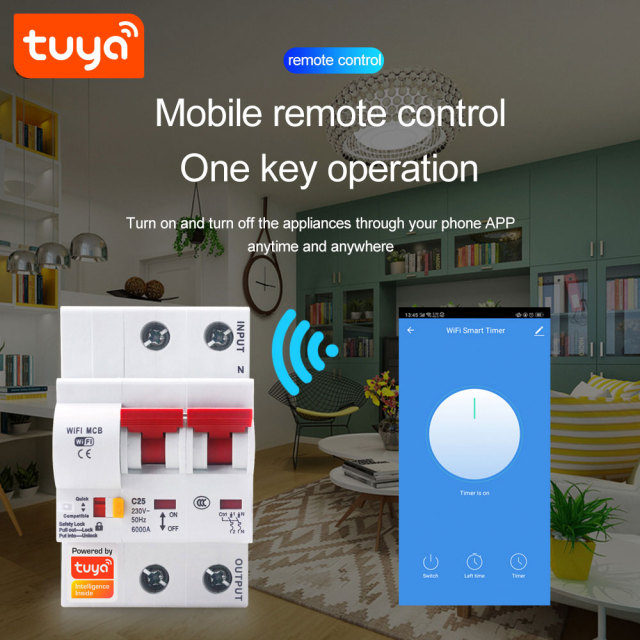
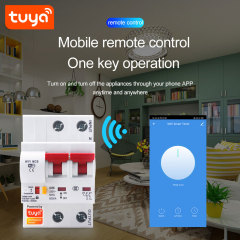
Yes, through Tuya Smart or Smart Life once the breaker has joined the premises' 2.4 GHz WiFi. On/off, schedules and the current readout all sit in the app, and the physical lever keeps working whether the phone is there or not.
Does it work with Alexa and Google Assistant?
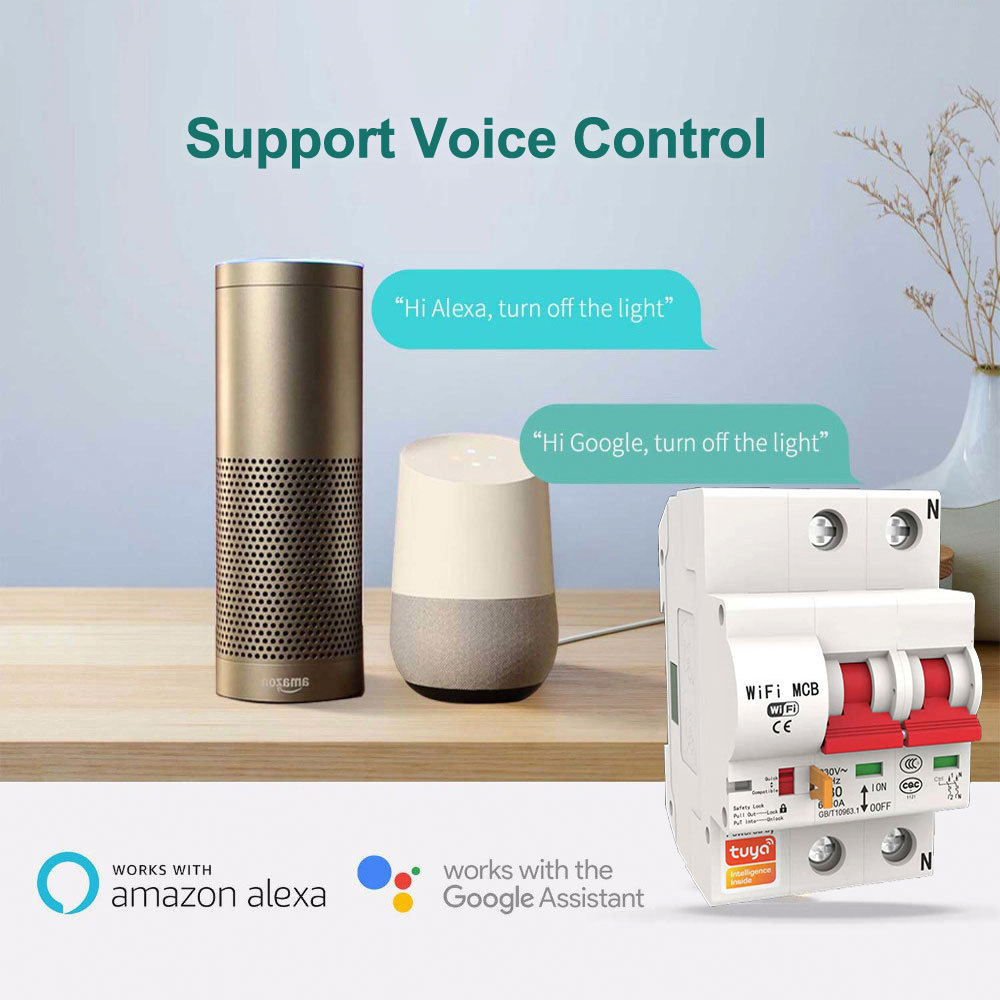
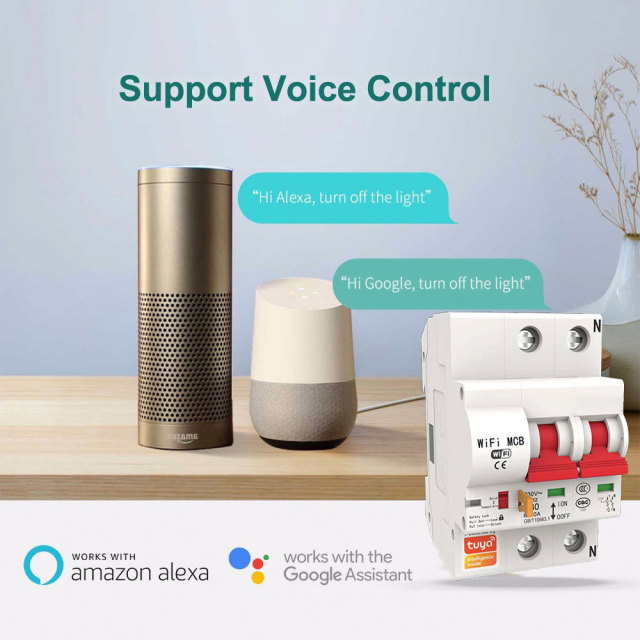
Yes — Amazon Alexa and Google Assistant can both switch the circuit by voice once the device is linked to your Tuya account, and each one works independently of the other, so a household split between the two assistants is not a problem. Name every breaker something a person would actually say out loud — shop signage, water heater, workshop bench — because voice control matches on the device name, and a list of identical default names is where most mistaken commands come from. Beyond single commands, the breaker can be pulled into assistant routines: a closing-time routine that cuts window lighting, a morning routine that brings it back, without anyone opening the app. Voice is only a shortcut; the lever and the app stay available when you would rather not talk to the room. Two limits are worth knowing before you plan around it. The assistant reaches the breaker through the cloud, so if the broadband or the router is down it will report the device as unavailable even though the circuit still works by hand. And a spoken command can only do what the breaker already supports — switch on, switch off, or trigger something you have set up as a schedule or scene.
Will it connect to 5 GHz WiFi?
No. The radio is 2.4 GHz only (IEEE 802.11 b/n/g), which is standard for Tuya devices and reaches further through walls than 5 GHz. Confirm the router is broadcasting a 2.4 GHz network before commissioning.
Can several breakers be managed in one app?
Yes — every unit added to the same account sits in one device list, and the app's home and room structure is what keeps a large site readable. Build the naming around the board rather than around the order you paired the units: building B, panel 2, sockets tells a colleague more at eleven at night than breaker seven. In the Tuya app, devices can be sorted into rooms and separate homes, so a chain with several shops can keep each site in its own home and switch between them, or keep one home with a room per board if the same person manages all of them. Adding another breaker later does not disturb the groups; it simply joins the room you assign it to. Rename freely when a tenant changes or a circuit is repurposed, and keep the app names in step with the paper schedule inside the panel door so the two never disagree. A distributor showing several ratings on a counter can pair them all to one account and demonstrate the whole range from a single phone.
What protection does it provide?
Overload protection trips when the current passes roughly 130% of the rated value, after a time delay that lets a motor start without nuisance tripping. Short-circuit protection trips instantly once the current passes about ten times the rating. Breaking capacity is 6 kA.
Can I put it on a schedule?
Yes — each breaker takes daily or weekly schedules plus a countdown timer, and the two behave differently, which is why both are useful. A schedule repeats: signage off at closing, exterior lighting on at a set hour and off at another, a workshop bench dead between fixed hours on weekdays only. A countdown is a one-off: forty minutes of heater, an hour of pump, then off — good for a job someone starts by hand and does not want to remember. Entries can be edited or switched off for a season without deleting them, so winter closing times do not cost you the summer setup, and more than one entry can sit on the same breaker where a circuit needs two windows a day. Timers are held with the account and run without your phone being in the building, but the breaker has to be connected to the network; if broadband drops, the circuit stays wherever it was until someone switches it. Two things to confirm before you rely on it: whether your app version offers sunrise and sunset triggers, and whether you want a schedule to override a manual switch-off or leave it alone.
What cable size fits the terminals?
The screw terminals accept copper conductors, and the terminal is rated for cable up to 25 mm². Most household branch circuits use 1.5–6 mm², which sits comfortably inside that. Match the breaker rating to the cable so the cable is protected, not just the appliance.
How is it mounted?
On a 35 mm DIN rail (EN 50022), the standard rail in distribution boxes. It is two modules wide — the same footprint as a conventional 2P breaker — so it takes a space that already exists in the plan.
Does it work without WiFi?
Correct — with no network the breaker behaves like the miniature circuit breaker it is. The lever switches the circuit by hand, the overload and short-circuit trip mechanisms are electromechanical and do not depend on the network at all, so a router failure, a changed password or an ISP outage never leaves a circuit stuck open or stuck closed. What you give up while it is offline is the remote layer: no app status, no voice commands, no schedules or countdowns firing, and no history or current readings until it reconnects. Once the network is back and the saved credentials still match, the breaker rejoins on its own and the app picks it up again; a new router with different network details means the unit has to be added again, so keep the setup steps somewhere the site can find them. Two habits make an outage a non-event: brief whoever opens and closes the building on where the lever sits and which way is off, and check after a long outage that the app is showing live status rather than a stale reading.
What is the housing made of?
The housing is flame-retardant PC rated UL94 V0, with copper current paths and screw terminals, and it does more than cover the parts. It holds live parts at a safe distance from the installer's fingers, which is what a finger-safe rating describes; it retains the arc-quenching arrangement that has to swallow the energy of a short circuit; and it carries the moulded clip that keeps the unit seated on the rail. Polycarbonate is chosen for the combination of impact strength and flame behaviour — a case that cracks when a screwdriver slips is a case that has stopped insulating. The finish is a matte moulding rather than a decorative surface, so panel scuffs are cosmetic and not a sign of damage. Keep units in their box until they are fitted, since dust and knocks in a toolbox are the usual cause of a cracked case, and wipe with a dry cloth rather than solvent. After a heavy fault, inspect the case before reclosing: distortion, scorching or a crack means replace the unit rather than reset it. Where a specific certification or test report is needed for your market, ask us and confirm what is available for the rating you are ordering.
How do I reset it after a trip?
Clear the fault first — unplug the appliance or reduce the load. Then push the lever back to ON by hand or from the app. If it trips again straight away, the fault is still there; do not hold the lever up to keep the circuit alive.
Can I share control with other people?
Yes — sharing is built into the app and is deliberately narrower than handing over your login. There are two routes: add someone as a member of the home, which gives them the device list, or share a single breaker with their own account, which suits a tenant who should only touch one circuit or a contractor who needs the pump for a week. Either way they sign in as themselves and you remove the share when the job or tenancy ends without disturbing anyone else's access. Keep a short written note of who holds access and what they hold it to, review it when staff or contractors leave, and revoke by removing the share rather than by changing the account password, which would lock out everyone at once. If a phone is lost or a person leaves on poor terms, remove their share first, then change the account password and re-share with the people who should still have access. One point to confirm in your app version before relying on it: exactly which permissions a shared user receives, since some setups allow schedule editing and others only allow on and off.
Can I see what happened on the circuit?
The app keeps a log of on and off actions, trips and alerts with timestamps, and its value is in reading the sequence rather than a single line. If a breaker trips at the same time each afternoon, look at what else is on that circuit at that minute — a heater element, a chiller cutting in, a cleaner plugging in a floor machine — then change one thing and see whether the pattern moves. Compare trip times against your schedules as well, because a circuit re-energised straight after a scheduled off behaves differently from one that has been resting. The record covers commands and events, not causes, so it narrows the search rather than closing it; live current readings read while the appliance is running are the natural companion. For landlords and site managers, screenshot or export the history after an incident and file it with the maintenance record — it settles later questions about whether a circuit was on, off or tripped at a given hour. Worth checking on your unit: whether hand operation at the board is logged as well as app commands, so you know how complete the record is.
What is the WiFi range?
Around 30 m in open air. Walls, metal enclosures and other 2.4 GHz traffic cut that considerably, and a board inside a concrete plant room is a worse location than the same board in a corridor. If the signal is marginal, add a repeater rather than moving the breaker.
Can one circuit carry several appliances at once?
Yes, as long as the total load stays inside the rating. A ring feeding a television, a router and the other smart home appliances in a living room sits well inside a 16 A or 20 A unit; a 3 kW heater needs the rating checked against its running current, with headroom for start-up.
Can I use the current readout for billing?
No. The readout is ±5% and meant for spotting an overloaded or misbehaving circuit, not for invoicing. Billing-grade consumption comes from a smart energy meter at the supply; this breaker is the switching and protection layer beneath it.
What should I check before installing it in an existing board?
Three things: that there are two free modules on the 35 mm rail, that the cable on the circuit is rated for the breaker you have chosen, and that the WiFi signal reaches the board. If any of those is in doubt, settle it before the electrician opens the enclosure.