• Tuya WiFi Dual Batteries 3D Face Door Lock with Dual Cameras, Visual Intercom & APP Remote Control
  • Tuya WiFi Dual Batteries 3D Face Door Lock with Dual Cameras, Visual Intercom & APP Remote Control
  • Tuya WiFi Dual Batteries 3D Face Door Lock with Dual Cameras, Visual Intercom & APP Remote Control
  • Tuya WiFi Dual Batteries 3D Face Door Lock with Dual Cameras, Visual Intercom & APP Remote Control
  • Tuya WiFi Dual Batteries 3D Face Door Lock with Dual Cameras, Visual Intercom & APP Remote Control
  • Tuya WiFi Dual Batteries 3D Face Door Lock with Dual Cameras, Visual Intercom & APP Remote Control
  • Tuya WiFi Dual Batteries 3D Face Door Lock with Dual Cameras, Visual Intercom & APP Remote Control
  • Tuya WiFi Dual Batteries 3D Face Door Lock with Dual Cameras, Visual Intercom & APP Remote Control
  • Tuya WiFi Dual Batteries 3D Face Door Lock with Dual Cameras, Visual Intercom & APP Remote Control
  • Tuya WiFi Dual Batteries 3D Face Door Lock with Dual Cameras, Visual Intercom & APP Remote Control
  • Tuya WiFi Dual Batteries 3D Face Door Lock with Dual Cameras, Visual Intercom & APP Remote Control
  • Tuya WiFi Dual Batteries 3D Face Door Lock with Dual Cameras, Visual Intercom & APP Remote Control

Tuya WiFi Dual Batteries 3D Face Door Lock with Dual Cameras, Visual Intercom & APP Remote Control

No.PST-C949-1
Tuya WiFi 3D face smart door lock with dual batteries, dual cameras and seven-way access for homes and projects.
6068 Lock body:
Add
Don't Add
6068 Lock body with hook:
Add
Don't Add
  • Tuya WiFi Dual Batteries 3D Face Door Lock with Dual Cameras, Visual Intercom & APP Remote Control
  • Tuya WiFi Dual Batteries 3D Face Door Lock with Dual Cameras, Visual Intercom & APP Remote Control
  • Tuya WiFi Dual Batteries 3D Face Door Lock with Dual Cameras, Visual Intercom & APP Remote Control
  • Tuya WiFi Dual Batteries 3D Face Door Lock with Dual Cameras, Visual Intercom & APP Remote Control
  • Tuya WiFi Dual Batteries 3D Face Door Lock with Dual Cameras, Visual Intercom & APP Remote Control
  • Tuya WiFi Dual Batteries 3D Face Door Lock with Dual Cameras, Visual Intercom & APP Remote Control
  • Description

  • Detailed Images

Product Overview

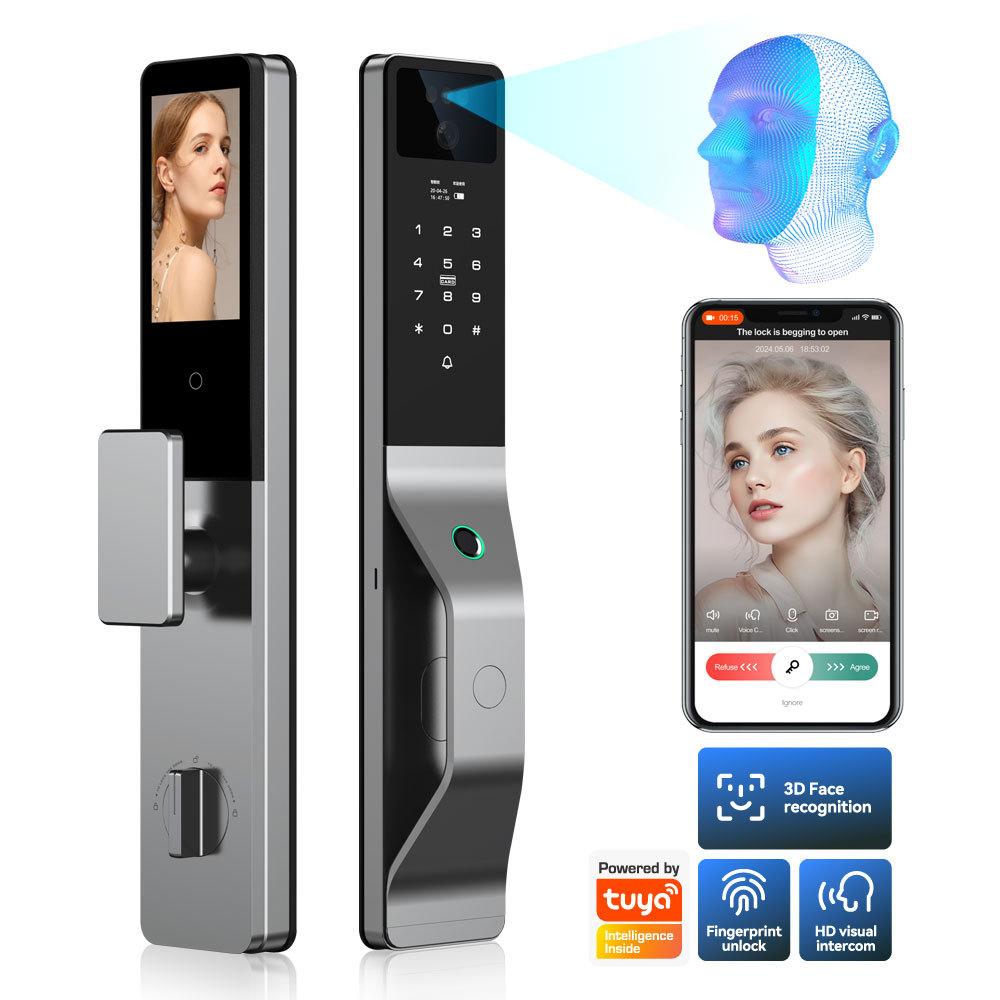
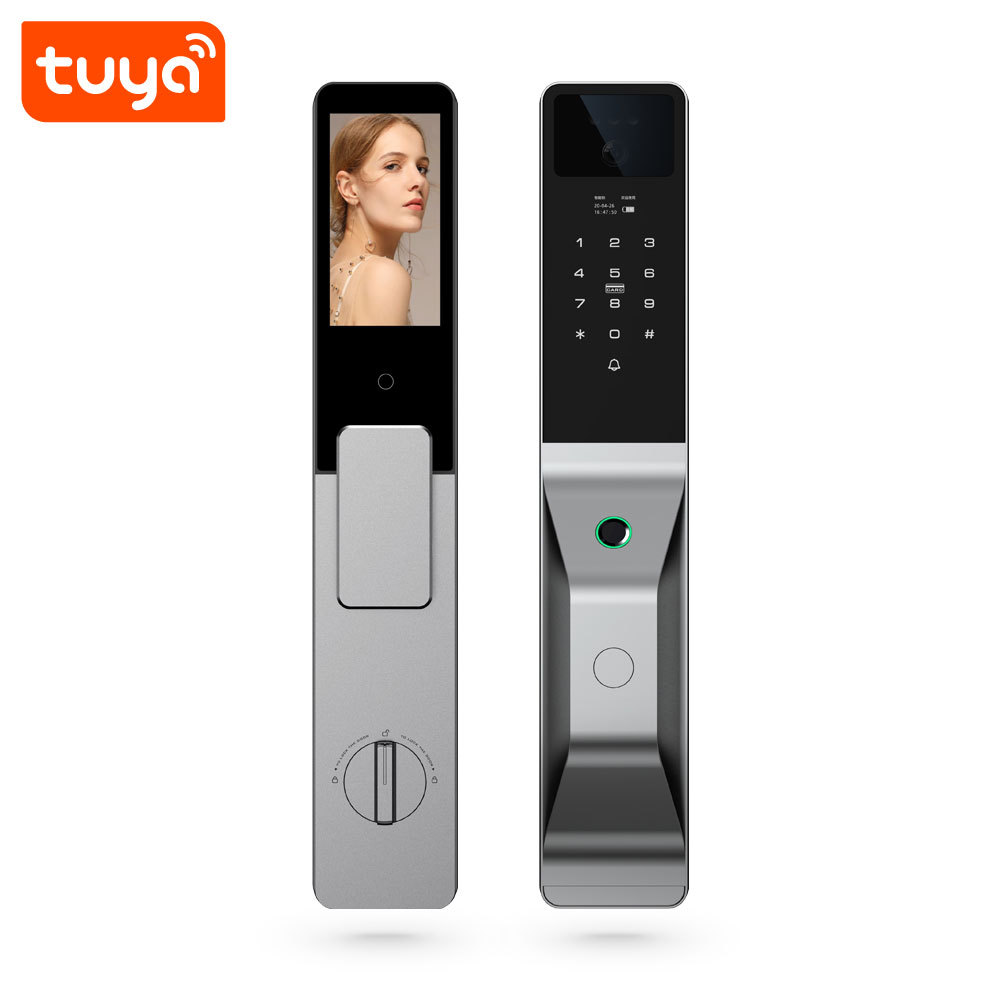
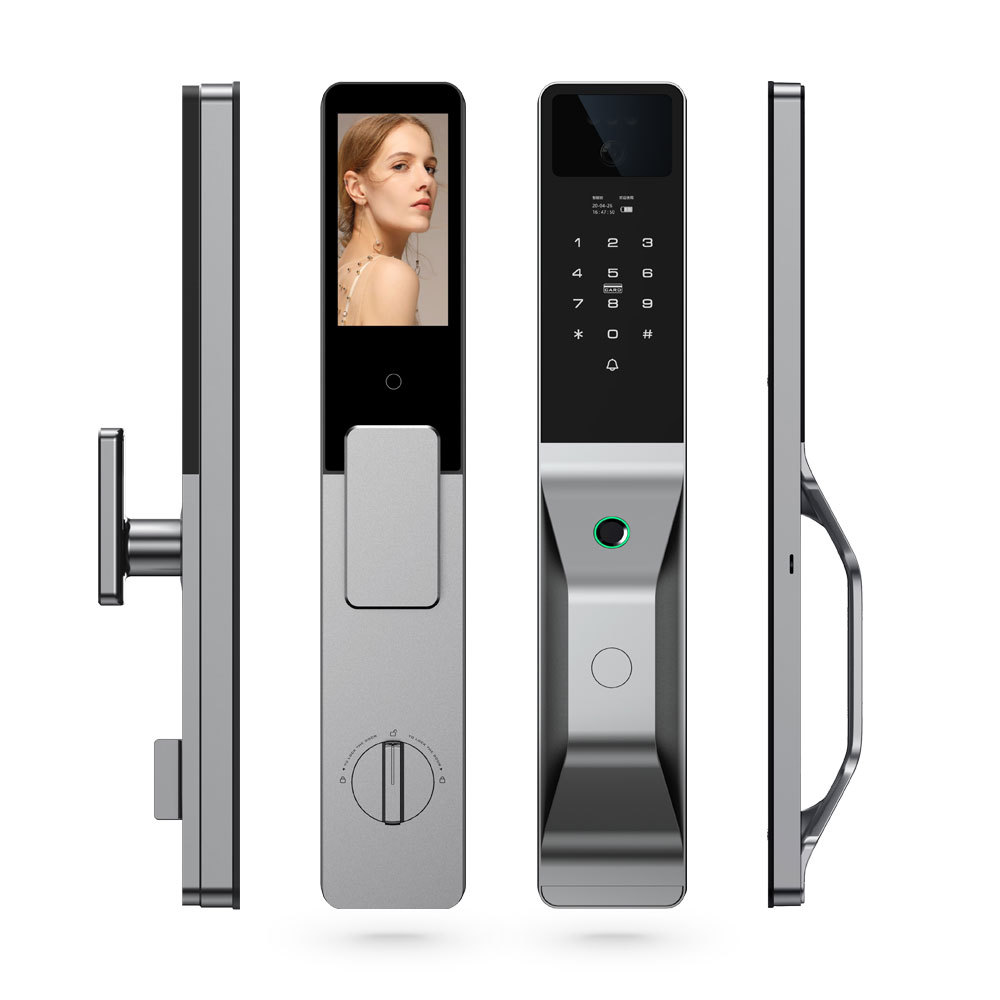
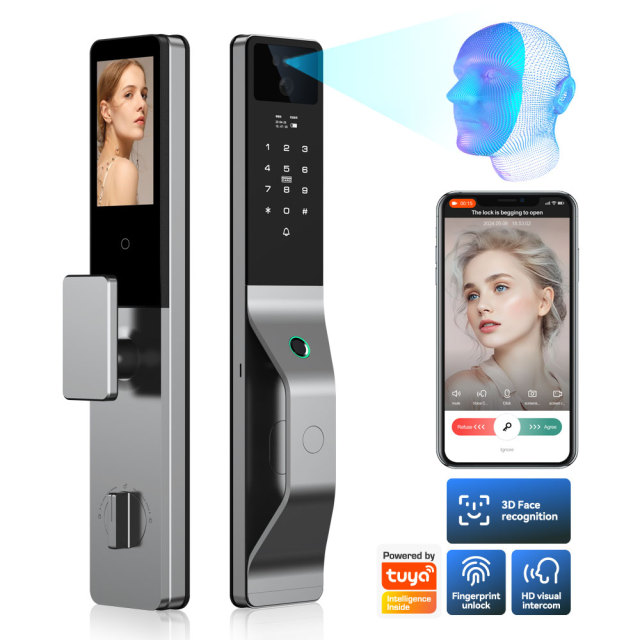
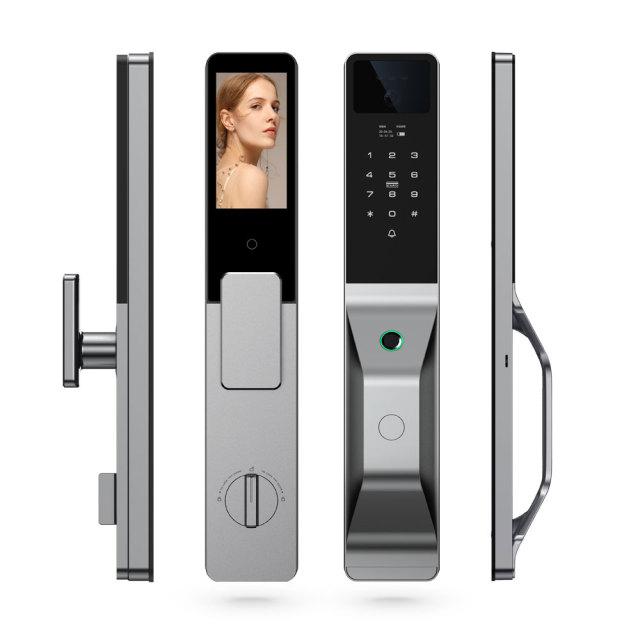
Open quickly for the people who belong there, and show who is standing outside — this smart door lock handles both from one panel. The PST-C949-1 carries a 3D face camera that reads a person across a 120° arc, a semiconductor fingerprint sensor set into the lever handle, a keypad across the lower front panel, and a 4.5-inch screen that shows the visitor before the door is opened. Behind the panel sit two battery packs and a USB emergency port, so the electronics keep running in situations where a single battery would already have given up.

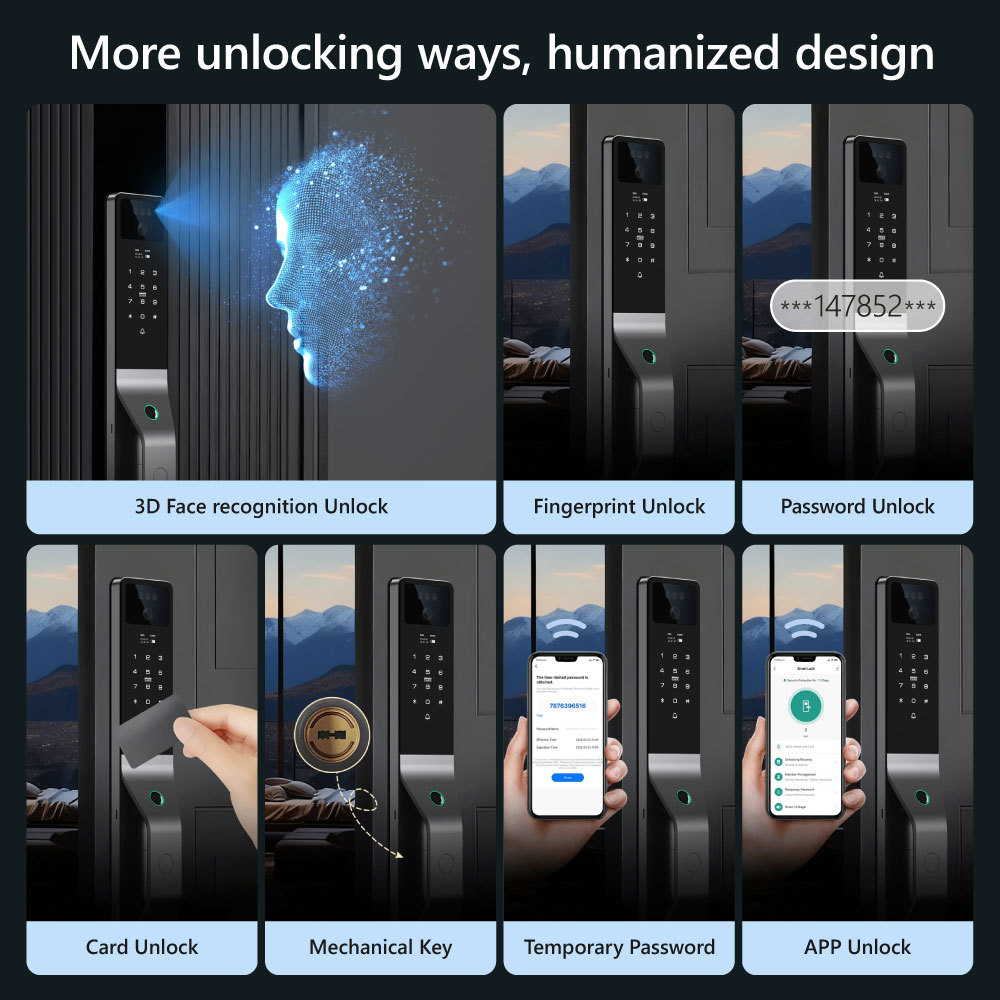
Much of what normally crowds a main entrance disappears into this one unit. The mechanical lock, the peephole, the video doorbell and the intercom handset become one device that a household, a landlord or a building manager runs from the Tuya Smart app. Face entry is what residents use when their hands are full; a temporary password covers a cleaner or a contractor; an IC card suits a staff member who would rather not carry a phone; and a visitor standing at the panel can be seen and admitted from a phone on the other side of the city.

As a smart door lock manufacturer we match the face algorithm, the keypad mapping and the mortise body before a unit leaves the line, instead of assembling each lock from whatever batches happen to be open. That is why the first door of a project and the fortieth behave the same way — same screen, same app, same body.

It is also why we build wholesale smart door lock orders as a single fixed configuration: one body type, one hook option, one language set, one finish. A shipment mixed across variants is the quickest way to turn a building handover into a support queue.

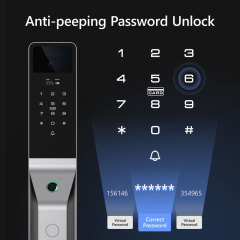
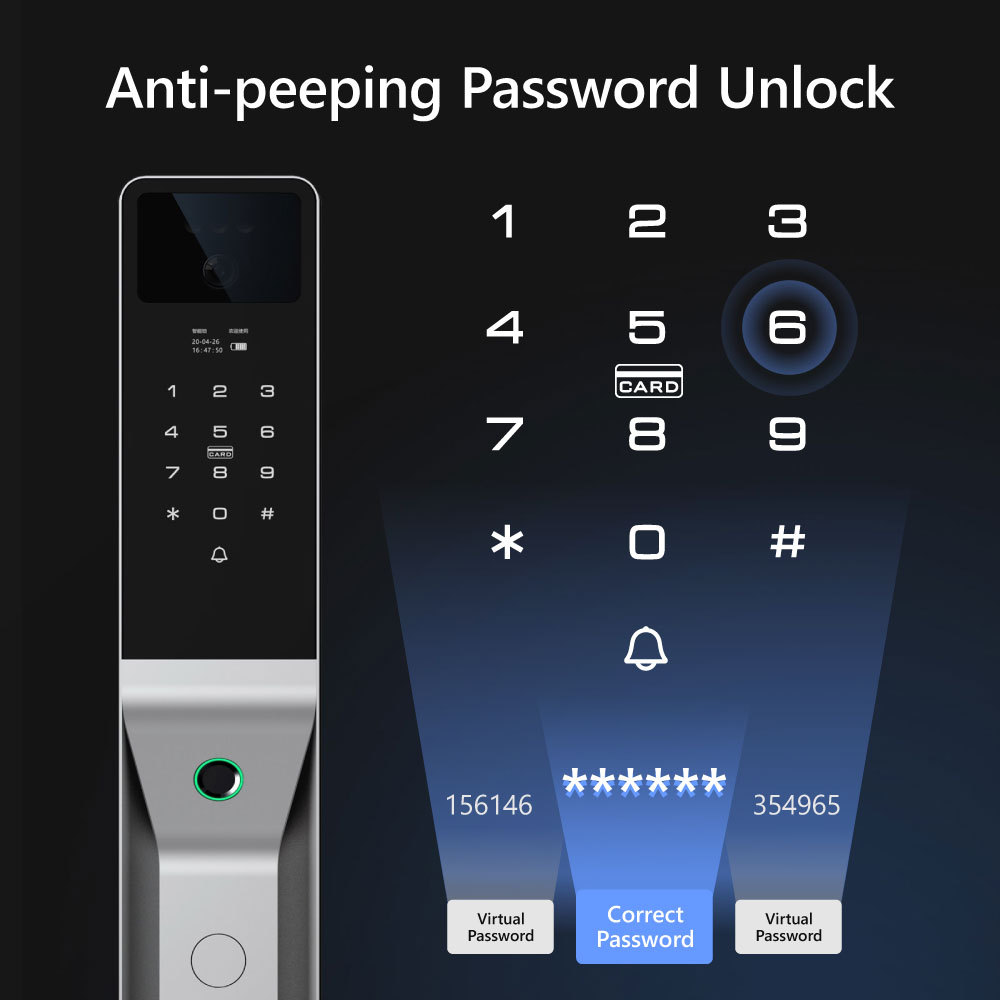
- 3D face entry across a 120° arc — the camera recognises a face over a wide angle rather than a narrow slot, so nobody has to line their eyes up with the panel, and the door opens without a hand touching it. - 99.99% recognition accuracy — both the 3D face camera and the semiconductor fingerprint sensor are rated at that level, which is what turns first-attempt opening into the normal outcome at a busy entrance rather than a lucky one. - A smart home door lock that reports to a phone — entry events and alarm conditions reach the app, so a landlord hears about a problem before a tenant telephones about it. - Anti-peep keypad — a smart door lock with keypad that accepts extra digits around the genuine code, so a resident can enter a real code in a crowded lobby without showing it to the queue behind them. - Alarms that say what happened — anti-jamming, repeated wrong attempts and continuous protection monitoring each raise a separate alert, so the message tells you which event occurred instead of flashing a generic warning. - Multi-language interface — screen and app text can be set per site, which matters for a distributor serving two or three language markets out of the same warehouse. - Function-checked before packing — face, fingerprint, keypad, camera, screen and battery are tested on every unit before it is boxed, the last gate before a smart door lock manufacturer releases an order.

Door Preparation & Installation

  1. Check the door first. Measure the door thickness, note the mortise pocket, the handing and the frame clearance, and photograph the door edge and the existing lock. A smart door lock supplier should match those details against the panel dimensions before the order is confirmed — it is the difference between a one-hour fit and a return.
  2. Choose the body. The lock can be supplied with the standard body or with the 6068 body, which is also available with a hook. A door already prepared for a 6068 mortise needs the matching body, so send the measurements rather than the model name of the old lock — a smart door lock manufacturer matches the mortise, not the label on the old unit.
  3. Mount the panels. Fit the entry-side panel with the camera, keypad and fingerprint handle, and the interior panel with the 4.5-inch screen, keeping the handle at a height that suits the shortest regular user rather than the tallest.
  4. Power up before enrolling anyone. Insert both battery packs, close the cover, and confirm the lock boots and reports its power status before any user data goes in.
  5. Enrol people, not just codes. Add each person separately in the Tuya app — face, fingerprint, code, card — and issue a temporary password only where access should end. This is where a smart door lock with keypad earns its place: one door, several credentials, each one revocable on its own.
  6. Test the smart fingerprint door lock at the door. Try face recognition from the far edge of the 120° arc, the fingerprint on the handle, a code entered with decoy digits, the camera view on the panel and on a phone, the intercom in both directions, and each alarm condition.

Access Modes

ModeTypical use
3D face recognitionHands-free entry within a 120° arc; the camera captures and opens the door
FingerprintSemiconductor sensor in the lever handle, 99.99% recognition accuracy
PasswordNumeric code on the keypad, entered with decoy digits for anti-peep protection
IC cardIssued to staff, family or contractors who prefer a card to a code
Mechanical keyPhysical override kept by the property manager
App openingRemote opening from Tuya Smart or Smart Life
Temporary passwordA short-term code for a guest, cleaner or contractor

Dual Battery Power

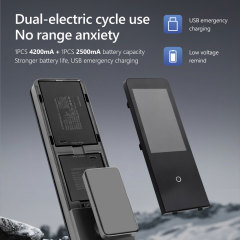
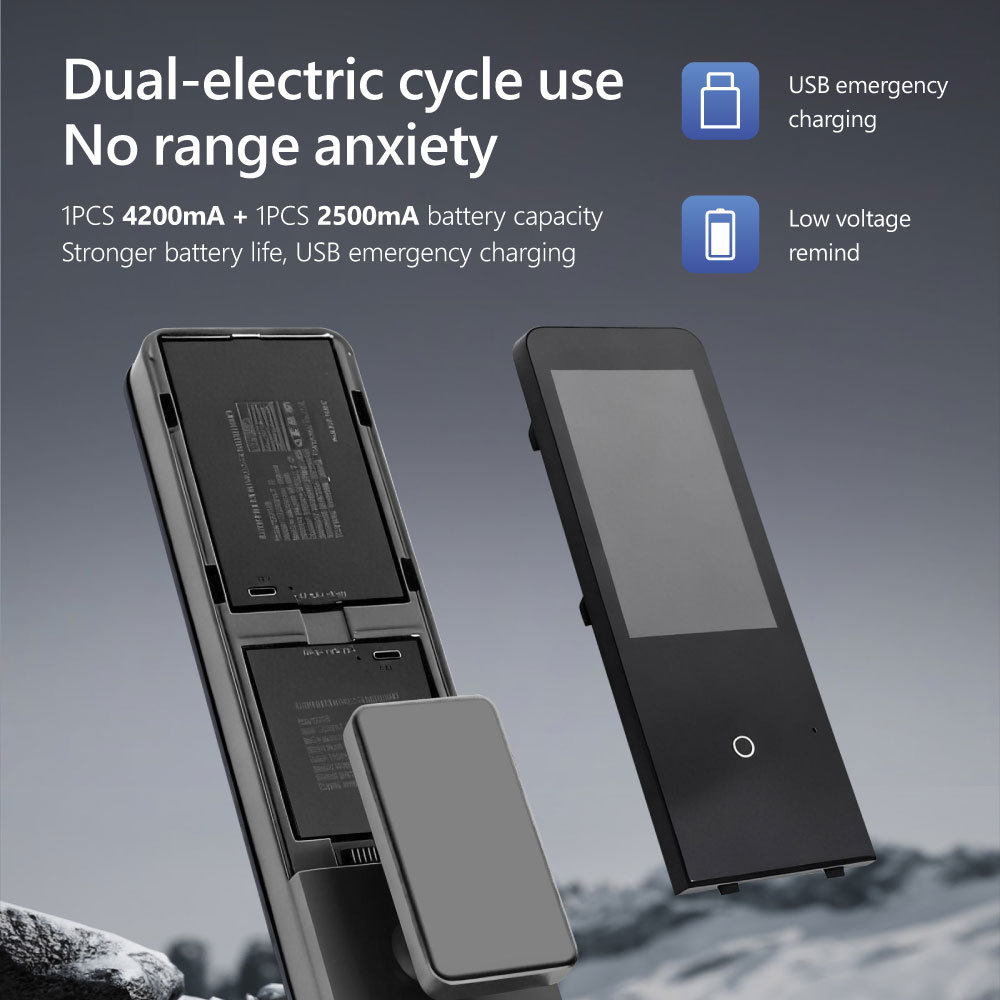
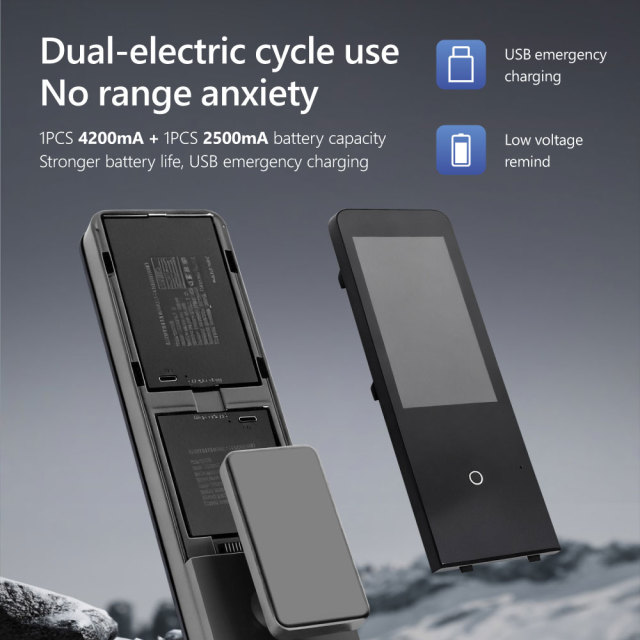
Battery life is the part of a smart lock nobody thinks about until it fails, and it usually fails at an inconvenient hour. This model carries two packs instead of one, and they work as a pair in a cycle: while one pack is carrying the lock, the other is held in reserve, so the lock is never running on the last cell of a single battery. The practical effect is a much wider margin between the app reporting low power and the door refusing to open.

The lock tells you when to act. A low-voltage reminder arrives before the packs are exhausted, and the same status comes through the app, so a manager can scan a block of doors without walking to each one. If a lock is already flat — a vacant unit nobody has visited for months, a holiday let between guests — the USB emergency power port on the panel takes a power bank and brings the lock back up long enough to open the door and change the packs.

As a smart door lock supplier, we keep the planning on a smart fingerprint door lock used for rentals or projects simple: check pack status at handover, note it in the tenant pack, and treat the low-voltage alert as a maintenance ticket rather than a warning to be dismissed. Buildings that do this rarely receive a lock-out call.

Camera & Intercom

  • Dual HD cameras on one doorway — the two cameras cover the entrance together, and the picture is available both on the door panel and in the app.
  • A 4.5-inch screen where the decision is made — the person inside sees the visitor on the panel itself, without opening the door or finding a phone, which matters for an older resident or a child at home alone.
  • Two-way active intercom — speak and listen from the panel or from the app, so the resident hears the visitor's answer instead of talking into a one-way box.
  • Release the door from inside the conversation — the door is released from the app while the visitor is still at the panel, which is how a courier leaves a parcel inside without a key changing hands.
  • Photo viewing on the panel — the screen also shows captured images, so a recent caller can be checked at the door rather than by scrolling a phone.
  • Round-the-clock coverage — the cameras keep monitoring outside working hours, which matters for a smart home door lock on a lobby, a side entrance or a rental unit that stands empty between tenancies.

Access Revocation Workflow

  1. Enrol every person as a separate user. Add each tenant, staff member or family member in the Tuya Smart or Smart Life app as their own entry, and attach their face, fingerprint, code and card to that one entry. When they leave, deleting the user removes all of their credentials in a single action instead of leaving a live code behind.
  2. Revoke from the app, not from the door. Removal is pushed to the smart door lock over WiFi, so a departing tenant is cleared from a phone in the office rather than by travelling to the building with a screwdriver. Set the removal for the morning of the move-out so the door is closed to them the moment the keys come back.
  3. Do it while the unit is still connected to the network. Send the revocation before the outgoing tenant's router is switched off or disconnected. If the lock happens to be offline, the deletion is applied the next time it reconnects, and a credential can keep working in that gap — so schedule departures with the network in mind.
  4. Change shared codes in the same session. Where a lobby or office door has one code known by several people, change it at the moment of departure and reissue the new code to those who are staying. A separate code per person avoids this step entirely.
  5. Give anyone with an end date a temporary password. Cleaners, contractors and viewing agents should receive a temporary password rather than a permanent code, so access lapses on its own without anyone remembering to delete it.
  6. Keep the manager account with the property. The Tuya account that holds administrator rights, and one mechanical key, belong to the building or the landlord — not to the tenant. That keeps readmission under your control if a handover goes wrong.
  7. Check the entry log before re-letting. The app records entry events and each credential's activity, so at handover you can confirm the door has been quiet since the departure and spot a credential that is still being used. Re-test the removed fingerprint or card at the panel — the door should refuse it.

Cleaning & Sensor Care

  • Apply cleaner to the cloth, never to the lock. Cleaning crews who spray the panel directly push liquid into the keypad seams and the camera housing; a lightly dampened microfibre cloth, wrung out, does the same job without wetting the electronics.
  • Keep the chemistry mild. A pH-neutral household cleaner is enough for the panel, screen and handle. Chlorine bleach, ammonia-based glass cleaner and abrasive cream all dull the glass over the 4.5-inch display, etch the camera lens and leave a film the fingerprint sensor has to read through.
  • Clean the fingerprint sensor dry. A dry microfibre wipe after heavy use removes the hand cream, sunscreen and cooking oil that build up on the semiconductor sensor. Most "failed fingerprint" reports on a smart fingerprint door lock turn out to be a dirty sensor rather than a failed one.
  • Treat the screen and camera lens as optical surfaces. Wipe with a microfibre, dry with a second cloth, then check face recognition from the far edge of the 120° arc to confirm the camera still sees clearly.
  • Sanitising wipes are acceptable on a smart door lock with keypad, provided the panel is dried afterwards and no liquid is left sitting in the keypad recess.
  • Put the battery status on a schedule. Check the pack level in the app on a fixed cycle — monthly for a managed block, at every tenancy change for a rental — and keep the USB emergency port free of paint and plaster dust during any refurbishment work, since a blocked port costs you the fallback.
  • Investigate a dragging bolt before blaming the lock. Hinges and door closers that sag misalign the mortise, and the resulting jam is a door problem, not an electronics problem. If the bolt itself starts to drag, have the mortise checked and lubricated with a dry lubricant rather than an oil that collects grit.
  • Keep the managing phone's app updated. Alerts, intercom and revocation all depend on the Tuya Smart or Smart Life app on the account holder's phone, so update it when prompted rather than discovering a stale version during a handover.

Specifications

Product nameTuya WiFi dual-battery 3D face door lock with dual cameras
ModelPST-C949-1
ConnectivityWiFi, managed through the Tuya Smart or Smart Life app
Screen4.5-inch display
CamerasDual HD cameras
Face recognition3D face, 120° coverage, 99.99% accuracy
FingerprintSemiconductor sensor, 99.99% recognition accuracy
Access modes7: 3D face, fingerprint, password, IC card, mechanical key, app, temporary password
PowerDual battery packs with USB emergency power port
AlertsAnti-jamming, trial-error and low-voltage alarms
LanguageMulti-language interface
Lock bodyStandard body, or optional 6068 body and 6068 body with hook
Package contentsFront and rear panels, mortise body, battery packs, mechanical keys, IC cards

Ordering & Delivery

  1. Send the door details. Photos of the door edge, the mortise, the frame and the handing, plus the door thickness, are enough for us to confirm which panel and body combination fits.
  2. Fix the configuration. Standard body or 6068 body, plain or with hook, and the language set for screen and app. The 6068 body is a priced option; because the body is decided by the door rather than by the lock, it has to be settled at order stage — that is how a smart door lock manufacturer keeps panel and mortise matched.
  3. Tell us the quantity and the site. Wholesale smart door lock orders are packed as one fixed configuration per shipment, so a ten-door order and a hundred-door order leave with the same panel, body and language set.
  4. Packing. Each lock is boxed with its panels, mortise body, battery packs, mechanical keys and IC cards protected inside, then packed for export. As a smart door lock supplier we would rather build a stronger carton than replace a scuffed panel, so tell us if your warehouse re-packs before final delivery. For reference, our carton for the 2P Tuya smart MCB switch in the same range is 36PCS per carton: 13.7 kg, 47*37*33 cm; the lock carton plan is confirmed per order.
  5. Confirm the commercial terms. Lead time and payment terms depend on the body option and the quantity in the shipment, so confirm both with your sales contact when the order is placed.
  6. Private label, if you need it. Ask your sales contact about panel branding, printed manuals and carton artwork for your own brand, and agree the details before production starts.

Testing & Compliance

Compliance paperwork matters as much as the hardware itself. The Tuya-based smart home and smart electrical products we supply carry FCC, CE, UL and RoHS certification, and every order passes 100% quality control before dispatch. Tell us which directive, standard or market your buyers check against, and we will confirm the applicable certificates and third-party test reports for the models you plan to stock — issued per project, never as blanket claims. When a range is updated, we help distributors keep their files current, and we stay with you through replacement and after-sales.


FAQ

What still works on this smart door lock if the WiFi goes down?

Everything that happens at the door itself. Face recognition, the fingerprint sensor, the keypad, IC cards and the mechanical key are all handled locally, so residents keep getting in while the network is out. The remote side is what pauses: live camera view, app-based door release and alerts need the lock to be reconnected to the network.

Can one app manage several doors?

Yes. Each lock is added to Tuya Smart or Smart Life as its own device under one account, and you name it by door — main entrance, car park, flat 12. A manager moves between doors inside the same app, and another smart home door lock fitted later joins the same list instead of needing a second app.

How does the anti-peep password protect the code?

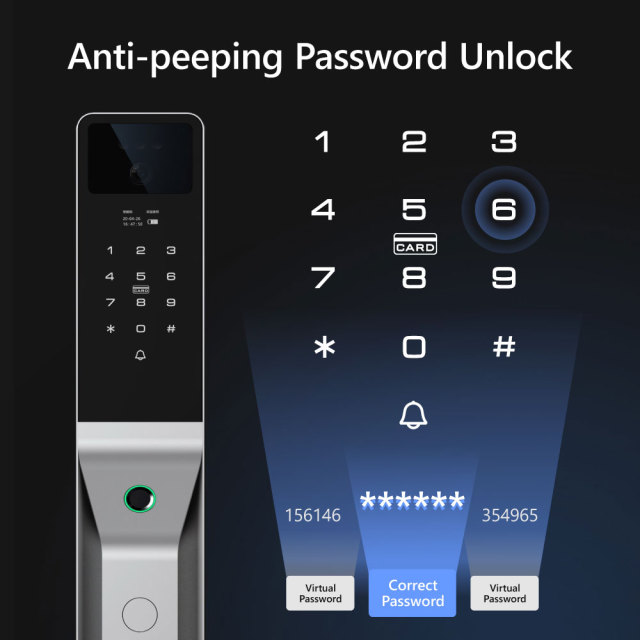
The keypad accepts a run of extra digits before and after the genuine code, and only the correct sequence in the middle is checked. Anyone watching from a metre away sees a longer number than the one that opens the door. It is the reason a smart door lock with keypad can be used at a shared main entrance rather than only at a quiet back door.

What maintenance does the lock need?

Little beyond keeping it clean and powered. Wipe the keypad, screen and fingerprint sensor with a soft dry or barely damp cloth — solvents and abrasive cleaners dull the panel and leave residue on the sensor. Keep the sensor dry after cleaning, watch the low-voltage reminder in the app, and re-test face and fingerprint entry after cleaning or after a battery change.

Which languages can the screen show?

The interface is multi-language and the language set is chosen per order, so tell us which languages your market needs and we will confirm the set before production. The app follows the phone's own language setting.

What happens to access when a tenant moves out?

Remove the person in the app and their face, fingerprints, code and card stop working; change any shared code at the same time. Because this smart fingerprint door lock holds each user as a separate entry rather than one shared PIN, a departure takes a couple of minutes instead of a re-key. For the gap between tenancies, issue a temporary password and let it lapse.